
'/%3E%3Cpath%20fill='%2330c2dc'%20d='M493%20379c-14-6%2010-16%2014-16-8-1-21%203-27%203l-57-3c-7-1-12-10-10-10-3%203-37-9-27%200l9%2014c15-3%2030%208%2013%2014%203%200%2057-4%2085-2'/%3E%3Cpath%20fill='%23f9aa51'%20d='M475%20366v13q-1%207-7%207h-35q-6-1-7-7v-13q0-6%207-7h35q7%201%207%207'/%3E%3Cpath%20fill='%230c8489'%20d='M388%20335c-11%205-28-12-25-24%203-13%2028-2%2029%2014%207-2%2020%202%2025%207%209-11%2038-3%2041%2010%2011-13%2028-9%2034-3%2013-10%2033-4%2030%207-3%2012-29%2015-37%206-1%201-20%200-22%2016h-11c-3-4-2-14-1-15-11%204-29-3-34-10-7%204-25-1-29-8'/%3E%3Cpath%20fill='%23fcca3d'%20d='m419%20304-3%203c-7-4-11%208-19-2-2-3-3-10%205-16%205-3%2018-5%2019%200%203%206%207%206%204%209l4%203v9zm56%2031c-15%204-16%209-15%2012q-7-6-1-10c-9-8-10%206-8-6%201-8%2024%205%2018-15h9q-1%2015%2017%2019c0%2024%202-3-6%205-2%200-5-6-14-5'/%3E%3Cpath%20fill='%238f4620'%20d='M418%20268c-4-24%2020-46%202-44-16%201-18-2-18-2-6-7%2010-11%209-20q2%2011%205-4c2%206%204%208%205-3%205%207%2017%205%2025%2010q-3-6-10-11c-12-11%2012-9%2012-9%2033-11%2044%2012%2061%2012-17%203%2013-2%2038%2058-18-11%2012-1-7%2067%200%200-45-57-36-39-10-5-20-18-20-18-11%203-2%204-1%2020%200%200%2043%2030%2045%2036%201%206-10%204-25%207-16%202-23-20-22-10s-16%205-16%205-19-29-19-9c-39-3-20-15-20-15s10%202%208-2c-2-3-12-4-16-29m-7-66'/%3E%3Cpath%20fill='%23f9c83a'%20d='M407%20220c10%203%2015-3%2016%204%204%204-22%209-19%2014-7%203-18-10-5-16%201-5%206-3%206-3l6-8q3%207-4%209'/%3E%3Cpath%20fill='%23a8ac71'%20d='M403%20309c-15%201-19%205-23-16-18-16-8-25-7-28%201-8-12-11-15-10-1-8%2022-1%2021%209-1%209-7%2011%206%2024%205%204%203%2014%2011%2011-1%204%203%2010%207%2010m6-18c10-8-24%202-26-24-1-15%2027-22%2023-34l-5-3q1-4%207-3c19%2015-11%2027-14%2038-4%2024%2031-5%2025%2029l-3%205q-7-4-7-8m-11-54c-25%206-23-35-7-35%201%2020-15%2015%205%2015-8%200-13%2011-3%2012q1%206%205%208'/%3E%3C/svg%3E)

If your games feel “sluggish” even though your computer is decent, the bottleneck may not be your graphics card, but your monitor. A 60Hz monitor draws 60 images per second, while a 144Hz one draws more than twice as many. The difference is very noticeable the moment you move your mouse, and in fast-paced games like shooters, fighting games, and battle royales, it can be the line between reacting in time and losing the match.
In this guide, we explain, without unnecessary jargon, what you should check before buying and which are the best 144Hz gaming monitors you can get in 2026, organized by budget. Every model we mention is available on Amazon. Since prices change constantly, we don’t include them in this guide: check the current price at each link. Today, 144Hz is a great starting point: most of the monitors in this guide reach 165 or 180Hz. And if you play competitively and want even more smoothness, we also recommend a couple of 240Hz options.
What to Check Before Buying (and Why It Matters)
Resolution: 1080p or 1440p
Resolution defines how sharp the image looks on the monitor. Full HD (1080p) is still one of the most sensible options for mid-range or entry-level graphics cards because it’s less demanding and makes it easier to reach 144 frames per second. QHD (1440p) looks noticeably sharper and is ideal on 27-inch screens, but it demands even more from your GPU. The rule is simple: if your graphics card doesn’t have enough power, playing at 1440p with maxed-out graphics will make it hard to hold 144 FPS. In that case, you’d be paying for a 144Hz monitor you’re not taking full advantage of.
Panel Type: IPS or VA
IPS offers more accurate colors and better viewing angles, which makes it an excellent choice if, besides gaming, you also edit photos or videos. VA is very common in curved monitors and offers deeper blacks and good contrast, although it can leave a slight “trail” (ghosting) in very dark scenes with a lot of movement. For most gamers, either panel delivers a good experience. But if your priority is a smooth image, good contrast, and a bigger screen for your money, a VA monitor, whether flat or curved, can be an excellent option.

Sync: FreeSync and G-Sync
This technology syncs the screen with your graphics card to eliminate “tearing,” that horizontal cut that appears in the image when the frames don’t line up. The good news is that many FreeSync monitors today are already compatible with NVIDIA cards through G-Sync Compatible mode. That means you don’t have to limit yourself to a single brand. What matters is checking that the monitor supports FreeSync or G-Sync and, ideally, confirming the specific model’s compatibility with your graphics card.
Connection: Use DisplayPort
Many monitors only reach their maximum refresh rate over DisplayPort. Over HDMI they often stop at 144Hz, and some ultrawides at just 100Hz. If you connect your PC over HDMI, you could be paying for hertz you’re not using. Check that your graphics card has a DisplayPort output and use that cable.
Size, Curvature and Response Time
24 inches is still a standard for competitive gaming, since it keeps the whole screen within your field of view without having to move your head from side to side too much. 27 inches is currently the ideal size for more comfortable gaming, especially with a 1440p setup. As for curvature, it really adds more on large and ultrawide screens; on a flat 24-inch monitor, you probably won’t need it.
When it comes to response time, look for a monitor with 1 ms (GtG). It’s a common spec on today’s gaming monitors and helps reduce blur during fast movement.
The Best 144Hz Gaming Monitors by Budget
Entry Level: 1080p, 165–180Hz
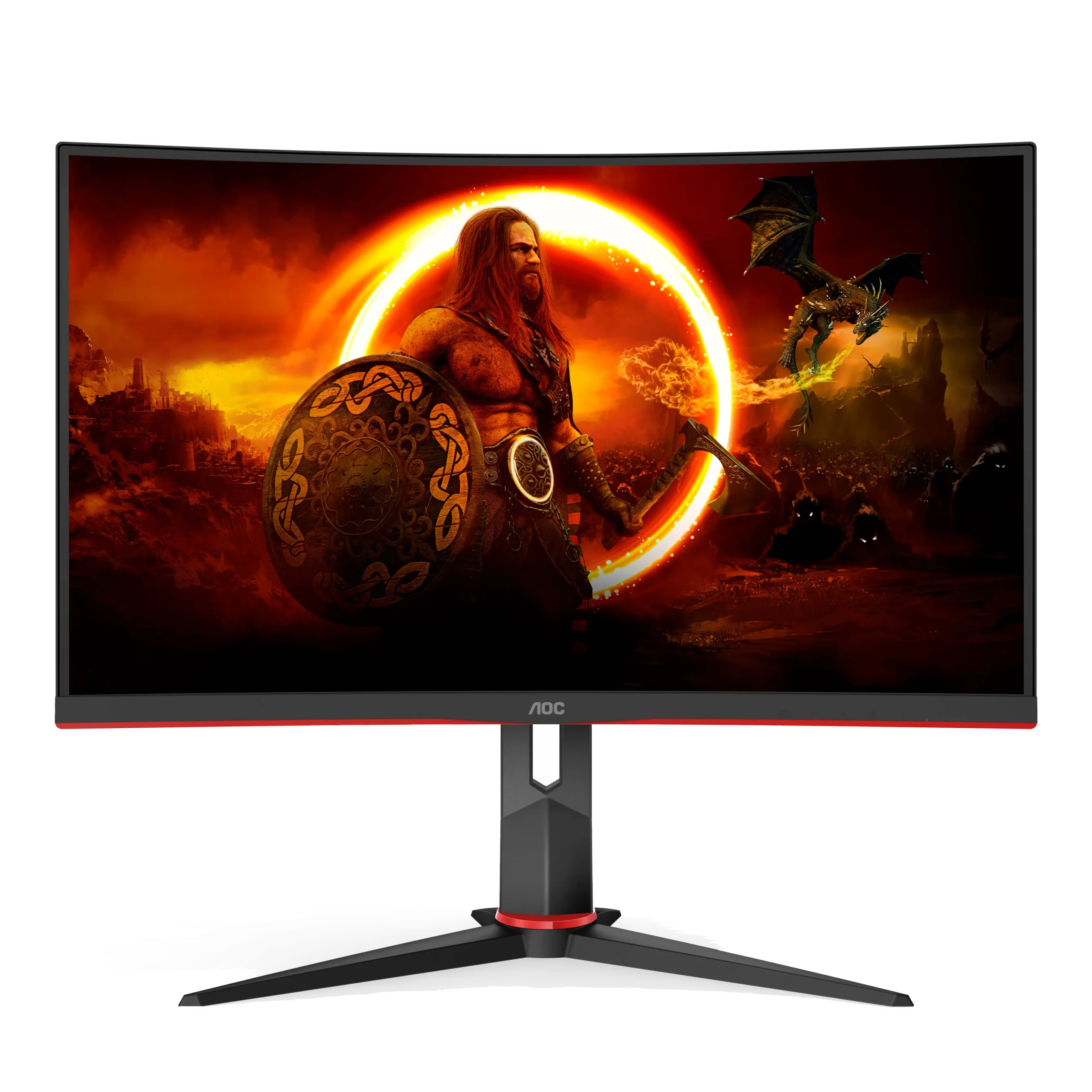
The AOC C24G2 (23.6″ curved VA panel, 1080p resolution, 165Hz and 1 ms) is a classic in this category because it strikes a good balance between image quality, smoothness, and price. Its VA panel delivers deeper blacks and good contrast, and the curvature is a plus if you like feeling a little more immersed in the game.
Key details:
- 165Hz over DisplayPort 1.2 only; over HDMI it tops out at 144Hz.
- FreeSync Premium.
- Height and swivel adjustable stand.
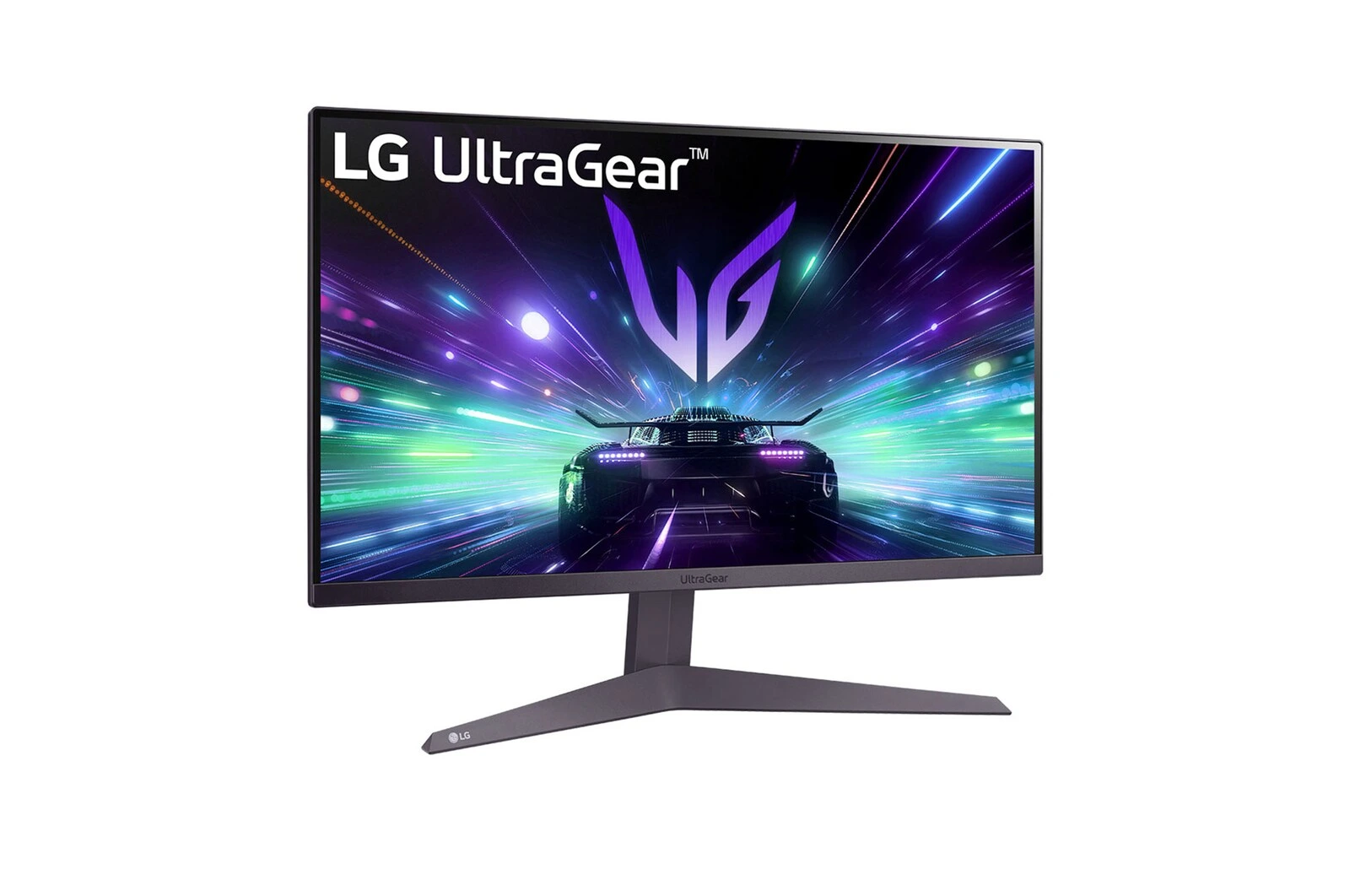
If you prefer a flat screen, the alternative is the LG UltraGear 24GS50F (23.7″ flat VA panel, 1080p resolution, 180Hz and 1 ms). And here’s the interesting part: it’s in the same entry-level range as the AOC but offers a higher refresh rate. If a curved screen doesn’t appeal to you, it’s the best buy in this range.
Key details:
- HDR10 and FreeSync (LG doesn’t certify it as G-Sync Compatible).
- Tilt-only stand: no height adjustment.
The downside of both is that they stay at 1080p. For gaming on 24 inches, it’s an adequate resolution, but if you later want a sharper image or want to move up to 27 inches, you’ll probably have to switch to a 1440p monitor.
Recommended graphics card: to take advantage of these monitors’ high refresh rate at 1080p, you don’t need an expensive card. Today’s mid-to-low-range cards like the NVIDIA RTX 5060, the AMD RX 9060 XT, or the Intel Arc B580 handle it very well; even previous-generation options like an RTX 4060 or an RX 7600 go past 144 FPS in competitive games like Valorant, Fortnite, or CS2, and in more demanding titles you just need to lower a few graphics settings.
As an Amazon Associate, I earn from qualifying purchases.
Mid-Range: The Best Value for Money
This is where most gamers should focus their attention. In this range, there are two clear paths, depending on what you’re looking for.
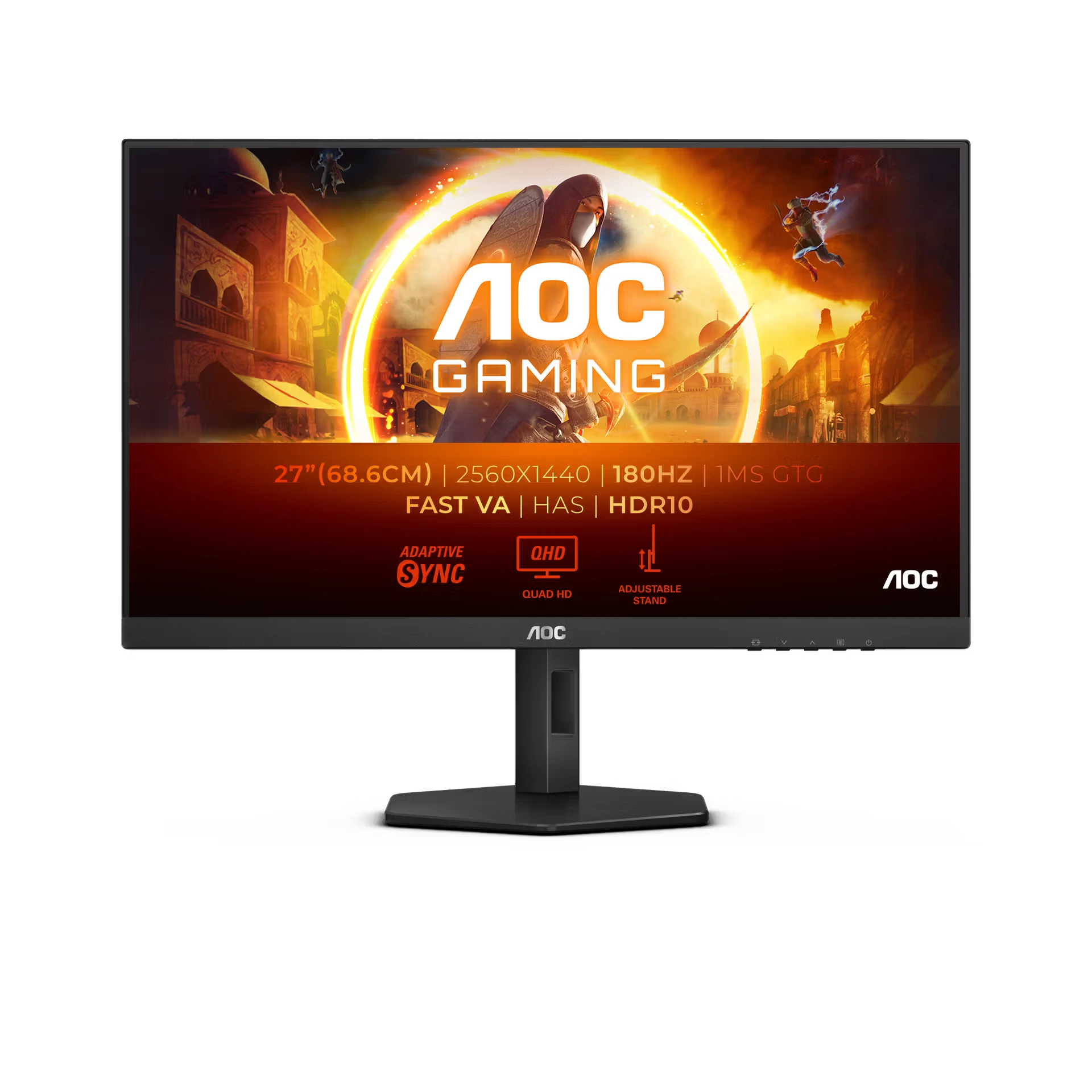
The best value right now is the AOC Q27G4XN (27″ VA panel, 1440p resolution, 180Hz and 1 ms). It gives you QHD resolution and a high refresh rate at a price that, not long ago, only got you a good 1080p monitor. Hard to ask for more.
Key details:
- 180Hz over DisplayPort 1.4 only; over HDMI it tops out at 144Hz.
- FreeSync Premium and HDR10.
- Height, swivel and pivot adjustable stand.
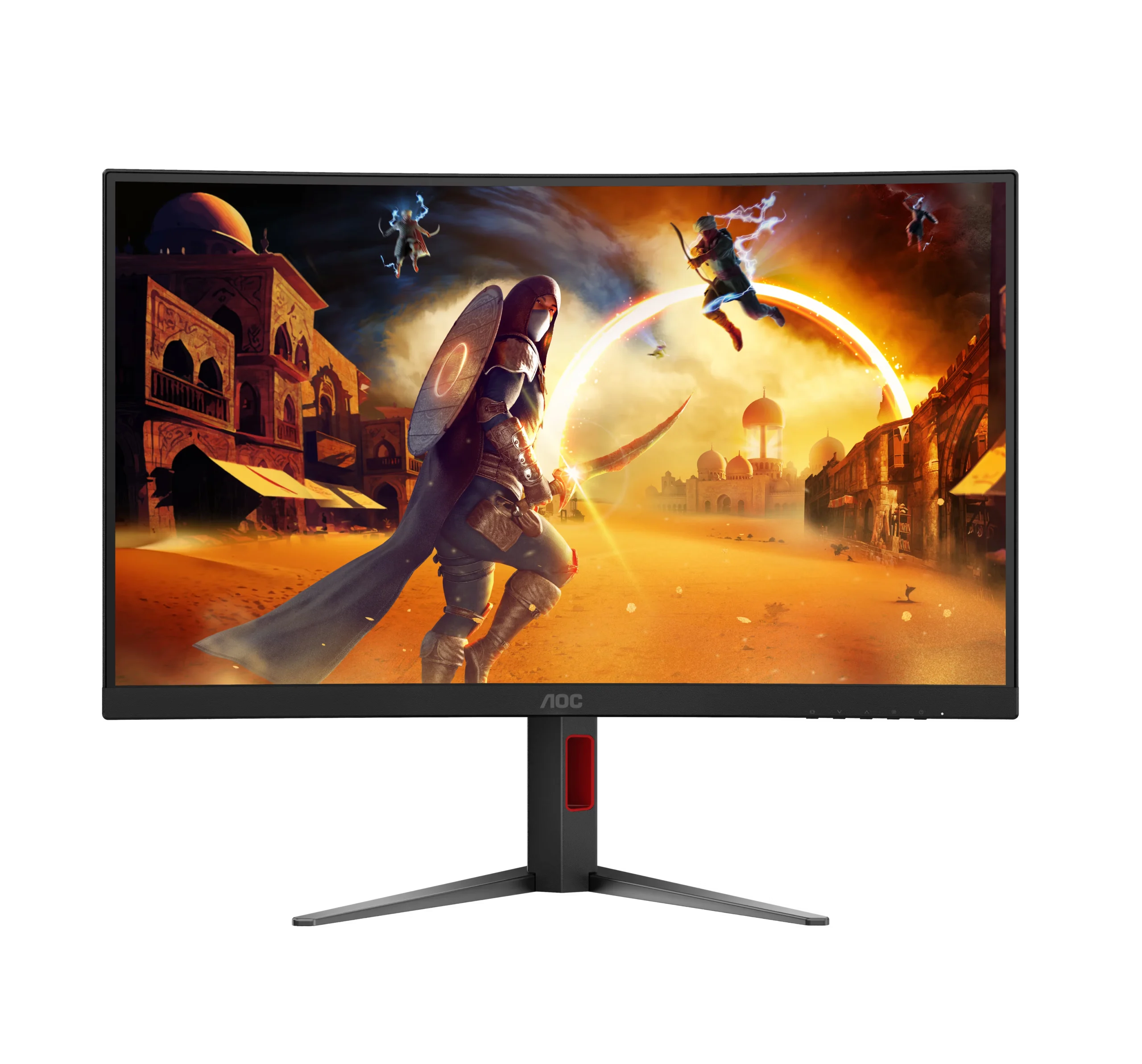
If you prefer a curved screen, its sibling, the AOC CQ27G4H (27″ 1500R curved VA panel, 1440p resolution, 180Hz and 0.5 ms), is another great option: same resolution and same refresh rate, but with a curvature that draws you a little deeper into the game.
Key details:
- Use DisplayPort 1.4 for the full 180Hz.
- FreeSync Premium.
- Height and swivel adjustable stand (no pivot).
The main difference is simple: the Q27G4XN is flat and, while both let you adjust the height, only it can rotate the screen to portrait (pivot), whereas the CQ27G4H goes for the curved screen for a slightly more immersive experience. For most people, the Q27G4XN is the smarter buy; the CQ27G4H, if curved screens appeal to you.
Recommended graphics card: to keep good FPS at 1440p, it’s worth stepping up. An NVIDIA RTX 5060 Ti or an AMD RX 9060 XT, both with 16 GB, perform well at this resolution; and if you want to get close to 144–180 FPS without sacrificing graphics, the sweet spot is an RTX 5070 or an RX 9070.
High End and Ultrawide: For Those Who Want It All
If your graphics card has enough power and you’re looking for a more immersive experience, the 34″ ultrawide format with 3440×1440 resolution is a very attractive option. The 21:9 aspect ratio gives you a wider field of view in games and also provides more horizontal space for work.
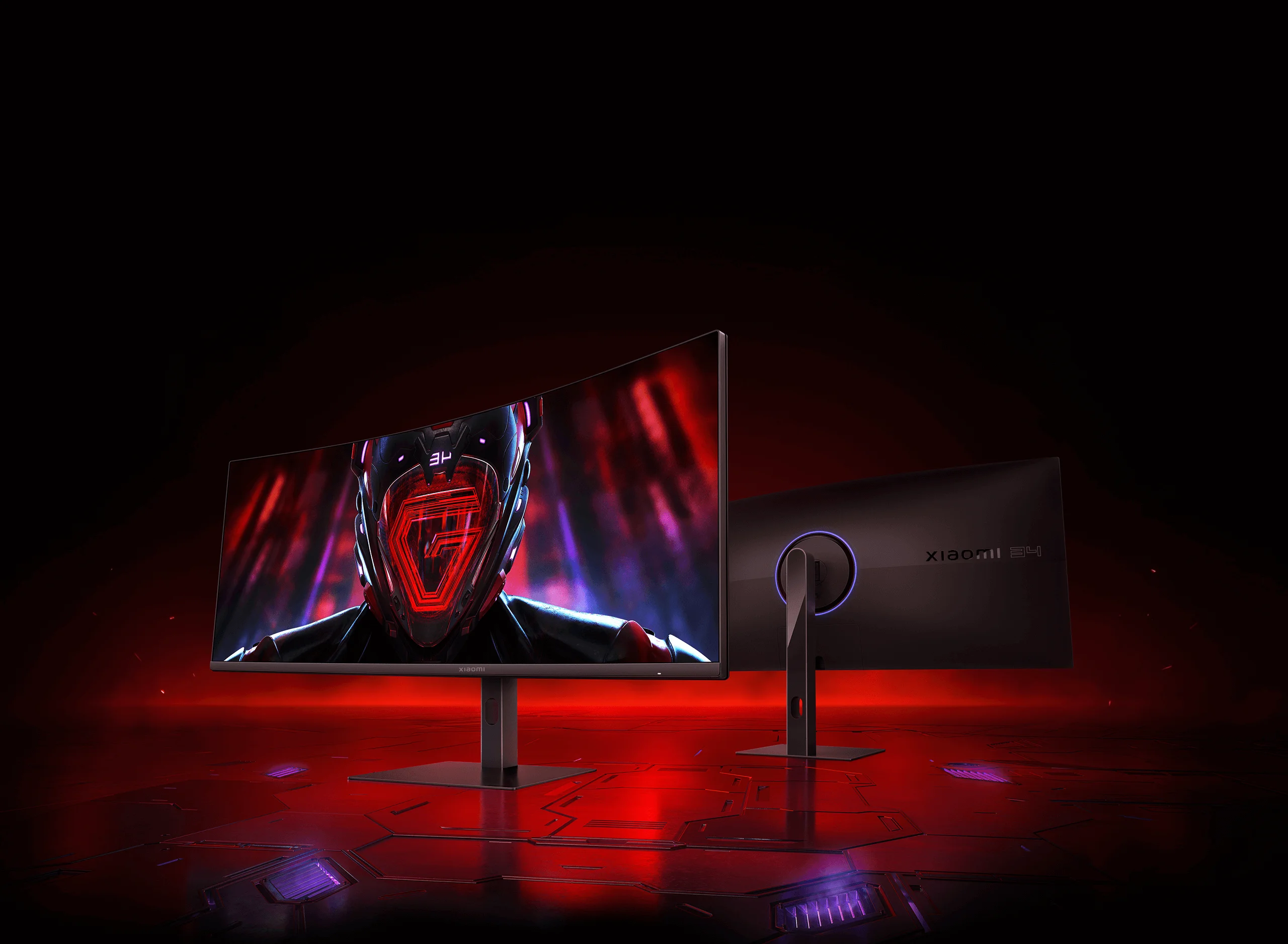
The Xiaomi G34WQi (34″ VA panel, 3440×1440 resolution, 180Hz, 1 ms MPRT and 1500R curvature) is today the best way into the ultrawide world: high refresh rate, 100% sRGB and a height-adjustable stand, at a very competitive price for everything it offers.
Key details:
- 180Hz and FreeSync Premium over DisplayPort only; over HDMI it tops out at 100Hz.
- Xiaomi says it doesn’t support G-Sync, so keep that in mind if you have an NVIDIA card.
- Height and swivel adjustable stand.
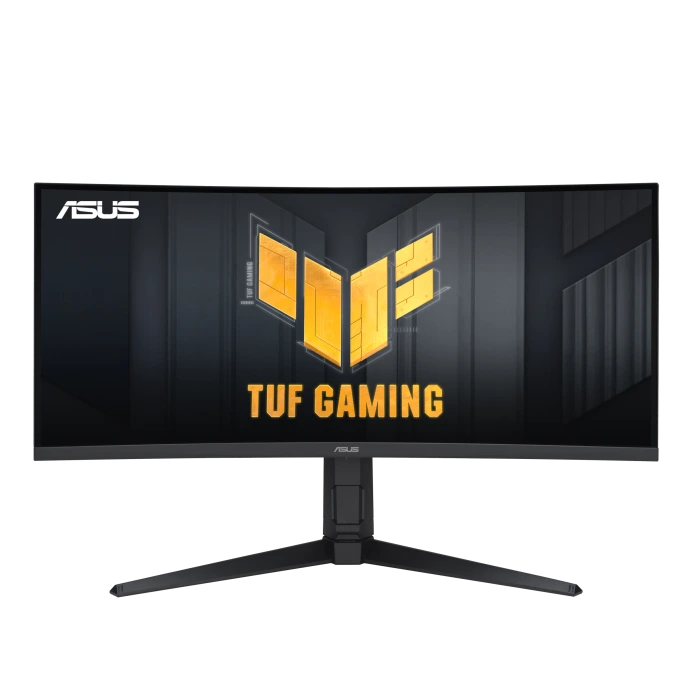
If you want something more complete, the ASUS TUF Gaming VG34VQL3A (34″ VA panel, 3440×1440 resolution, 180Hz and 1500R curvature) adds DisplayHDR 400, FreeSync Premium Pro, and ELMB technology to reduce motion blur. That said, it costs quite a bit more.
Key details:
- 180Hz over DisplayPort 1.4 only; over HDMI 2.0 it tops out at 100Hz.
- Height and swivel adjustable stand.
- Built-in speakers and USB hub.
The main thing to keep in mind is that 3440×1440 requires considerably more graphics power than standard 1080p or 1440p. Also, not every game and app takes full advantage of the 21:9 format, so it’s worth checking compatibility with the titles and programs you use.
Recommended graphics card: at 3440×1440, an ultrawide needs more muscle. Aim for an NVIDIA RTX 5070 Ti or an AMD RX 9070 XT to run it comfortably, and an RTX 5080 if you want everything maxed out with no compromises.
Competitive: 240Hz for Esports
If what you mainly play is competitive shooters like Valorant, CS2 or Overwatch 2 and your PC already goes well past 144 FPS, the next step is a 240Hz monitor. The difference compared to 144Hz is real, but it’s subtler than the jump from 60 to 144Hz: you notice it mostly in fast camera turns and in how quickly you spot an opponent in a shooter or similar game.
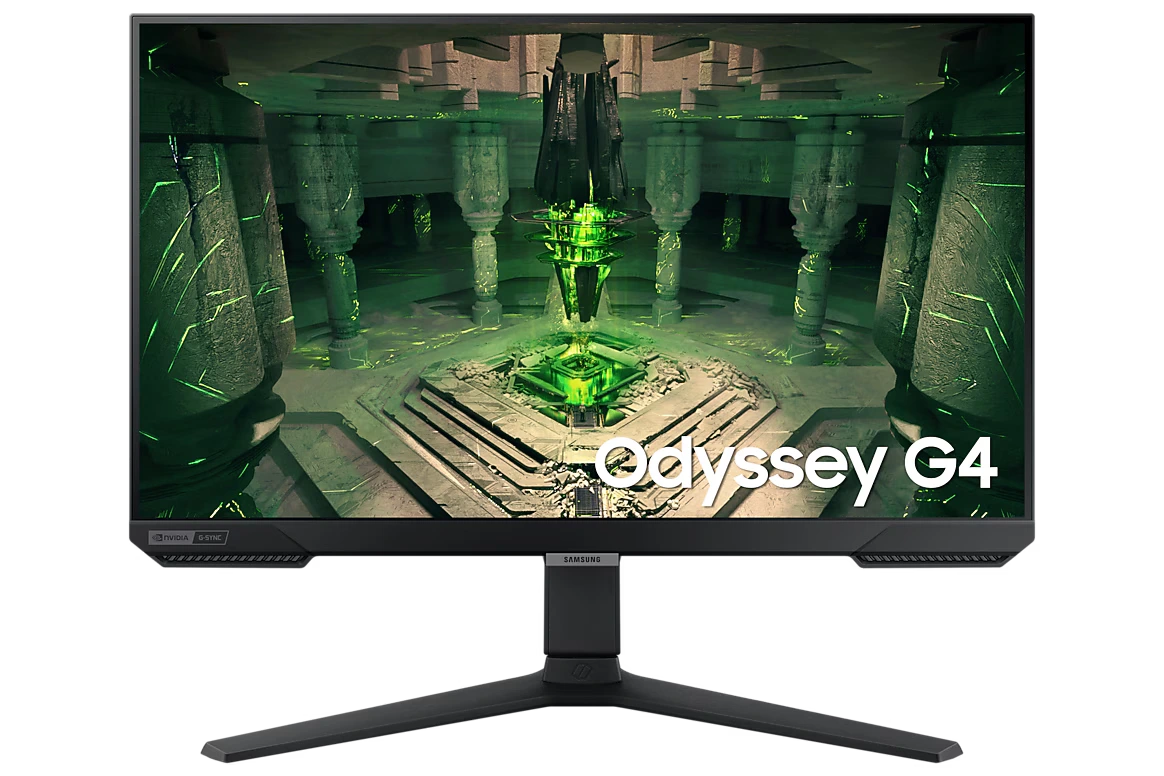
The Samsung Odyssey G4 (25″ IPS panel, 1080p resolution, 240Hz and 1 ms) is a very complete esports pick: 25″ is the standard tournament size.
Key details:
- FreeSync Premium and G-Sync Compatible.
- DisplayPort 1.2.
- HDR10.
- Height, swivel and pivot adjustable stand.
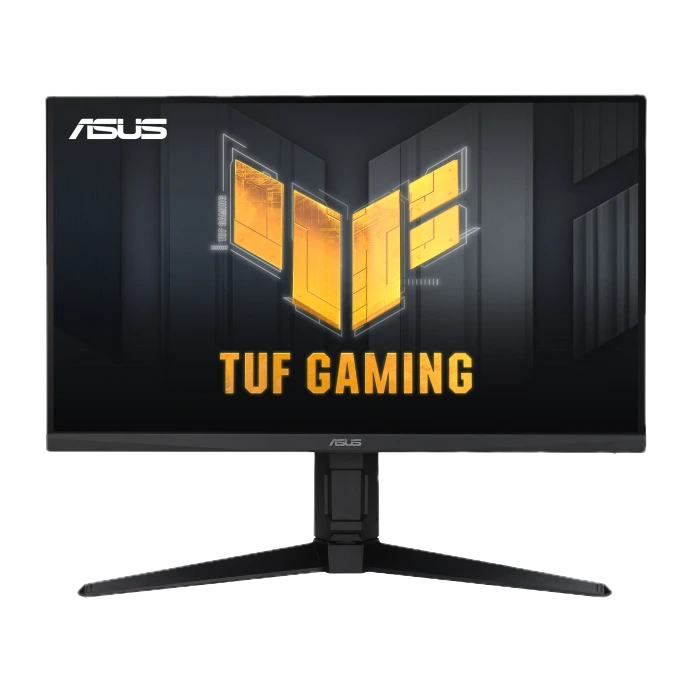
If you want 240Hz without giving up 1440p sharpness, the ASUS TUF Gaming VG27AQML1A (27″ Fast IPS panel, 1440p resolution, 240Hz native and up to 260Hz overclocked, 1 ms) is the premium option in this tier.
Key details:
- 240Hz (260Hz overclocked) over DisplayPort 1.4 only; over HDMI it tops out at 144Hz.
- FreeSync Premium, G-Sync Compatible and DisplayHDR 400.
- Height, swivel and pivot adjustable stand, plus built-in speakers.
Recommended graphics card: at 240Hz, your graphics card and processor work harder than ever. At 1080p, an RTX 5060 Ti or an RX 9060 XT can get close to 240 FPS in competitive games at low or medium settings; at 1440p, aim for an RTX 5070 Ti or an RX 9070 XT. Keep in mind: at that many FPS, the processor matters as much as the graphics card.
Quick Comparison
| Model | Screen | Max Hz | Sync | Stand | Best For |
|---|---|---|---|---|---|
| AOC C24G2 | 23.6″ curved · 1080p · VA | 165Hz | FreeSync Premium | Height and swivel | Curved screen and good contrast |
| LG UltraGear 24GS50F | 23.7″ flat · 1080p · VA | 180Hz | FreeSync | Tilt only | Tight budgets |
| AOC Q27G4XN | 27″ flat · 1440p · VA | 180Hz | FreeSync Premium | Height, swivel and pivot | Best value |
| AOC CQ27G4H | 27″ curved · 1440p · VA | 180Hz | FreeSync Premium | Height and swivel | QHD with a curved screen |
| Xiaomi G34WQi | 34″ ultrawide · 3440×1440 · VA | 180Hz | FreeSync Premium | Height and swivel | Getting into ultrawide |
| ASUS TUF VG34VQL3A | 34″ ultrawide · 3440×1440 · VA | 180Hz | FreeSync Premium Pro | Height and swivel | Ultrawide with better HDR |
| Samsung Odyssey G4 | 25″ flat · 1080p · IPS | 240Hz | FreeSync Premium + G-Sync Compatible | Height, swivel and pivot | Esports |
| ASUS TUF VG27AQML1A | 27″ flat · 1440p · Fast IPS | 240Hz (260 OC) | FreeSync Premium + G-Sync Compatible | Height, swivel and pivot | Competitive play with more sharpness |
Where to Buy (My Personal Advice)
Besides Amazon, don’t rule out physical stores either. These days it’s easy to buy everything online without ever setting foot in a store, but a trip to Best Buy or Micro Center (if you have one nearby) is worth a try, even if it’s just to break the routine. They usually have a good selection of 144Hz gaming monitors and offer some advantages that can matter more than saving a few dollars.
First, you can see the monitor in person before buying it and check things like size, image quality, and curvature. Second, if a problem comes up, returning it or making a warranty claim can be easier when you have a physical store to back you up. And third, keep an eye on sales events like Prime Day, Black Friday, or Cyber Monday, which can make a big difference on a purchase of a few hundred dollars.
My recommendation is simple: always compare prices across stores and review the warranty and return conditions. If the price difference is small, buying from a physical store can give you more peace of mind and make it easier to solve any problem.
Is 144Hz Really Worth It?
Yes, but there’s an important condition that many people overlook when buying 144Hz gaming monitors: you need a graphics card capable of generating enough frames per second to take advantage of that refresh rate.
A 144Hz monitor can display up to 144 images per second, but your PC has to be able to produce those FPS. If your GPU barely reaches 70 to 80 FPS in the games you play most, you won’t be taking full advantage of the monitor. That’s why, before buying, it’s worth checking your system’s current performance and, if needed, considering graphics settings tweaks or optimizations.
The winning combination isn’t just the monitor; it’s a high-refresh-rate monitor paired with a graphics card that can keep up with it.
Frequently Asked Questions
Is the jump from 60Hz to 144Hz really noticeable?
Yes, it’s noticeable, and quite a lot. Cursor movement, window scrolling, and, above all, games with fast camera movement feel much smoother and more fluid, as if the image responded more immediately to your actions.
Once you get used to a higher-refresh-rate screen, going back to 60Hz can feel clunky and less fluid. In competitive games, a smoother image also makes it easier to clearly track fast-moving targets, which can help you react and aim more precisely.
Do I need a powerful graphics card for 144Hz?
It depends a lot on the resolution and the games you plan to play. At 1080p, many mid-range graphics cards can reach 144 FPS fairly easily in popular titles. At 1440p, the load on the GPU increases, so you’ll need a more powerful card to keep a high refresh rate without sacrificing too much graphics quality.
If your system doesn’t reach the FPS you’re looking for, you can lower some of the game’s graphics settings to gain performance, or consider upgrading your graphics card before your monitor.
1080p or 1440p for gaming?
If your priority is frames per second and your budget or GPU is limited, it’s better to stay at 1080p, where you’ll reach 144Hz more easily. If you have a capable graphics card and want a sharper image, especially at 27 inches, 1440p is a very visible upgrade. There’s no single answer, since it all depends on your system’s power and the kind of games you usually play or want to play.
Is IPS or VA better for gaming?
IPS offers better colors and viewing angles, making it an excellent choice if, besides gaming, you also do video editing, photography, or any other visual content. VA will give you deeper blacks and higher contrast, and it’s common in curved monitors with an excellent price-to-size ratio. For most gamers, both panels are perfectly valid. The choice usually comes down mainly to budget and your preferences: IPS if you want better colors and viewing angles, or VA if you prefer higher contrast and the option of a curved screen.
Does a FreeSync monitor work with NVIDIA cards?
In the vast majority of cases, yes. Many FreeSync monitors today are certified as “G-Sync Compatible” or work without issues with NVIDIA cards by enabling the corresponding option in the control panel. Still, if you have an NVIDIA card and want maximum certainty, check that the model is listed as compatible before buying.
Is a 240Hz monitor worth it?
Only if you play competitive games and your PC delivers well over 144 FPS in them. For most people, a 165–180Hz monitor is the sweet spot between smoothness, price and hardware requirements. If your system barely reaches 144 FPS, a 240Hz monitor won’t give you any advantage.
Conclusion
Of all the 144Hz gaming monitors we covered, the best balance for most people in 2026 is in the mid-range: a 27″ 1440p monitor with a high refresh rate like the AOC Q27G4XN (180Hz), or the AOC CQ27G4H if you prefer a curved screen. If you’re on a tight budget, the LG UltraGear 24GS50F is today the hardest entry-level pick to beat, and the AOC C24G2 is the option if you prefer a curved screen. If you want total immersion and your PC can handle it, an ultrawide like the Xiaomi G34WQi is a whole other world. And if you play competitively and your PC can keep up, the Samsung Odyssey G4 or the ASUS TUF VG27AQML1A take you to 240Hz. Whatever you choose, remember that a good monitor only reaches its full potential when your graphics card can feed it, and that’s the real secret to a smooth experience.
Note: prices change constantly, so we recommend checking the current price at each link. Some links are affiliate links; if you buy through them, ProductosGamer may earn a commission at no extra cost to you.