
'/%3E%3Cpath%20fill='%2330c2dc'%20d='M493%20379c-14-6%2010-16%2014-16-8-1-21%203-27%203l-57-3c-7-1-12-10-10-10-3%203-37-9-27%200l9%2014c15-3%2030%208%2013%2014%203%200%2057-4%2085-2'/%3E%3Cpath%20fill='%23f9aa51'%20d='M475%20366v13q-1%207-7%207h-35q-6-1-7-7v-13q0-6%207-7h35q7%201%207%207'/%3E%3Cpath%20fill='%230c8489'%20d='M388%20335c-11%205-28-12-25-24%203-13%2028-2%2029%2014%207-2%2020%202%2025%207%209-11%2038-3%2041%2010%2011-13%2028-9%2034-3%2013-10%2033-4%2030%207-3%2012-29%2015-37%206-1%201-20%200-22%2016h-11c-3-4-2-14-1-15-11%204-29-3-34-10-7%204-25-1-29-8'/%3E%3Cpath%20fill='%23fcca3d'%20d='m419%20304-3%203c-7-4-11%208-19-2-2-3-3-10%205-16%205-3%2018-5%2019%200%203%206%207%206%204%209l4%203v9zm56%2031c-15%204-16%209-15%2012q-7-6-1-10c-9-8-10%206-8-6%201-8%2024%205%2018-15h9q-1%2015%2017%2019c0%2024%202-3-6%205-2%200-5-6-14-5'/%3E%3Cpath%20fill='%238f4620'%20d='M418%20268c-4-24%2020-46%202-44-16%201-18-2-18-2-6-7%2010-11%209-20q2%2011%205-4c2%206%204%208%205-3%205%207%2017%205%2025%2010q-3-6-10-11c-12-11%2012-9%2012-9%2033-11%2044%2012%2061%2012-17%203%2013-2%2038%2058-18-11%2012-1-7%2067%200%200-45-57-36-39-10-5-20-18-20-18-11%203-2%204-1%2020%200%200%2043%2030%2045%2036%201%206-10%204-25%207-16%202-23-20-22-10s-16%205-16%205-19-29-19-9c-39-3-20-15-20-15s10%202%208-2c-2-3-12-4-16-29m-7-66'/%3E%3Cpath%20fill='%23f9c83a'%20d='M407%20220c10%203%2015-3%2016%204%204%204-22%209-19%2014-7%203-18-10-5-16%201-5%206-3%206-3l6-8q3%207-4%209'/%3E%3Cpath%20fill='%23a8ac71'%20d='M403%20309c-15%201-19%205-23-16-18-16-8-25-7-28%201-8-12-11-15-10-1-8%2022-1%2021%209-1%209-7%2011%206%2024%205%204%203%2014%2011%2011-1%204%203%2010%207%2010m6-18c10-8-24%202-26-24-1-15%2027-22%2023-34l-5-3q1-4%207-3c19%2015-11%2027-14%2038-4%2024%2031-5%2025%2029l-3%205q-7-4-7-8m-11-54c-25%206-23-35-7-35%201%2020-15%2015%205%2015-8%200-13%2011-3%2012q1%206%205%208'/%3E%3C/svg%3E)

Table of Contents:
Today I want to share my review of the MSI Claw, a handheld gaming PC built around the Intel Core Ultra 5 processor. In my opinion, this type of handheld device has become increasingly popular since the Steam Deck and the Nintendo Switch carved out their own space in the market.
This is MSI’s first-generation product in the handheld console space, and it lets you do everything you’d normally do on a personal computer, like schoolwork, office tasks, or just browsing the internet. You can connect a keyboard, a mouse, and even a monitor if you want to. And most importantly, you can play your favorite games.
Although the MSI Claw A1M received negative reviews after launch, recent updates have significantly improved its performance, which might make this console an option worth considering now.
That raises a fair question: is it worth getting the current MSI Claw A1M, or is it better to save up a bit more for the MSI Claw 8? In this article I’ll share my experience to help you make an informed decision.

Technical Specifications: What Does the MSI Claw Include?
The MSI Claw comes in three variants, but I tested the base one with the Intel Core Ultra 5 135H. Here’s a look at its specs:
- Processor: Intel Core Ultra 5 135H “Meteor Lake” (14 cores/18 threads, up to 4.6 GHz turbo).
- Graphics: Integrated Intel Arc (8 Xe cores, up to 2.2 GHz).
- RAM: 16 GB LPDDR5 at 6400 MHz.
- Storage: 512 GB PCIe Gen 4 SSD.
- Display: 7″ FHD (1920×1080) IPS touchscreen with variable refresh rate up to 120 Hz.
- Battery: 53 Whr with 65W fast charging.
- Connectivity: USB-C (Thunderbolt 4, DisplayPort, PD charging), Bluetooth 5.4, Intel Killer WiFi 7.
- Operating System: Windows 11 Home.
The other two variants come with the Intel Core Ultra 7 155H and either 512 GB or 1 TB of storage. The model I’m reviewing launched on March 15, 2024, and has received quite a few updates since then.
Unboxing the MSI Claw: What’s Inside the Box?
When you open the MSI Claw box, the first thing you’ll see is the documentation — a quick-start guide meant to walk you through the initial setup step by step.
Right below the documentation is the MSI Claw itself, the device that’s about to upgrade your portable gaming experience. Underneath it you’ll find the 65W power adapter, built to charge the console efficiently.
Taking the MSI Claw out of its plastic sleeve, the first thing that stood out to me was its ergonomics. It offers a comfortable, secure grip that lets you play for hours without it feeling uncomfortable in your hands. The solid, sturdy feel of its build, thanks to high-quality materials, gives it excellent durability, making it ideal both for daily gaming and more intense sessions.
Intel Core Ultra 5 135H: What Makes It Unique?
The MSI Claw is one of the first handhelds to ship with the Intel Core Ultra 5 135H, which on paper was designed to balance performance and power efficiency on mobile devices. This chip stands out for delivering solid performance without sacrificing battery life, making it an appealing option for gamers who are always on the move.
With 14 hybrid cores (6 performance cores and 8 efficiency cores) and integrated Intel Arc graphics, this processor can run games at 1080p, though performance will vary depending on driver optimization. Its power draw is adjustable between 28W and 35W, which helps maintain good battery life without giving up too much power — essential for longer gaming sessions.
While it offers solid performance for gaming and light productivity tasks, its graphics performance doesn’t quite reach the level of the AMD Ryzen Z1 Extreme, found in devices like the ASUS ROG Ally. Even so, the Intel Core Ultra 5 135H represents a significant step forward for Intel in the handheld gaming space, positioning it as an important move in Intel’s push into the gaming market.
Buttons and Controls on the MSI Claw: Comfort and Precision
The MSI Claw’s buttons are well thought out. The LB and RB have a longer travel, while the LT and RT feel shorter — but that doesn’t bother me personally. In fact, they’re great for racing games, since they allow for precise acceleration and braking. It might just take a little time to get used to them.
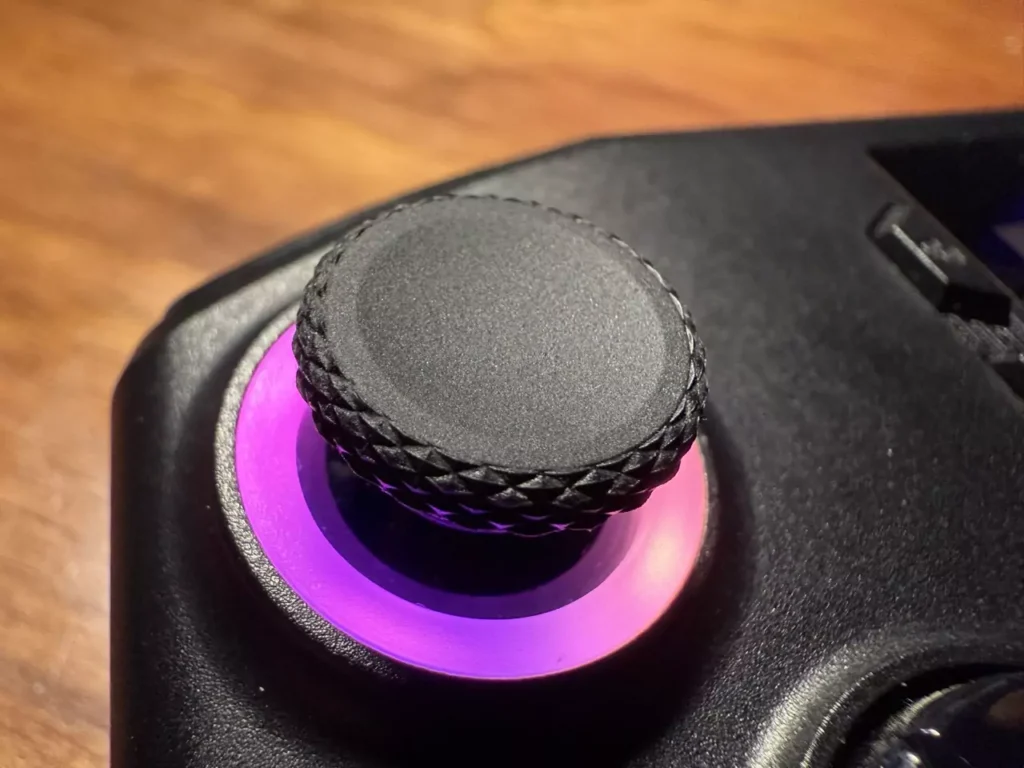
The joysticks use Hall Effect technology, which makes them more durable and precise. Since they don’t rely on mechanical parts, they avoid wear and the dreaded drift that’s always a concern with this kind of device, especially on Xbox controllers and even the Nintendo Switch. I like the resistance they offer, striking a good balance between control and responsiveness. The joysticks also have RGB lighting, though I prefer to turn it off entirely to save battery.
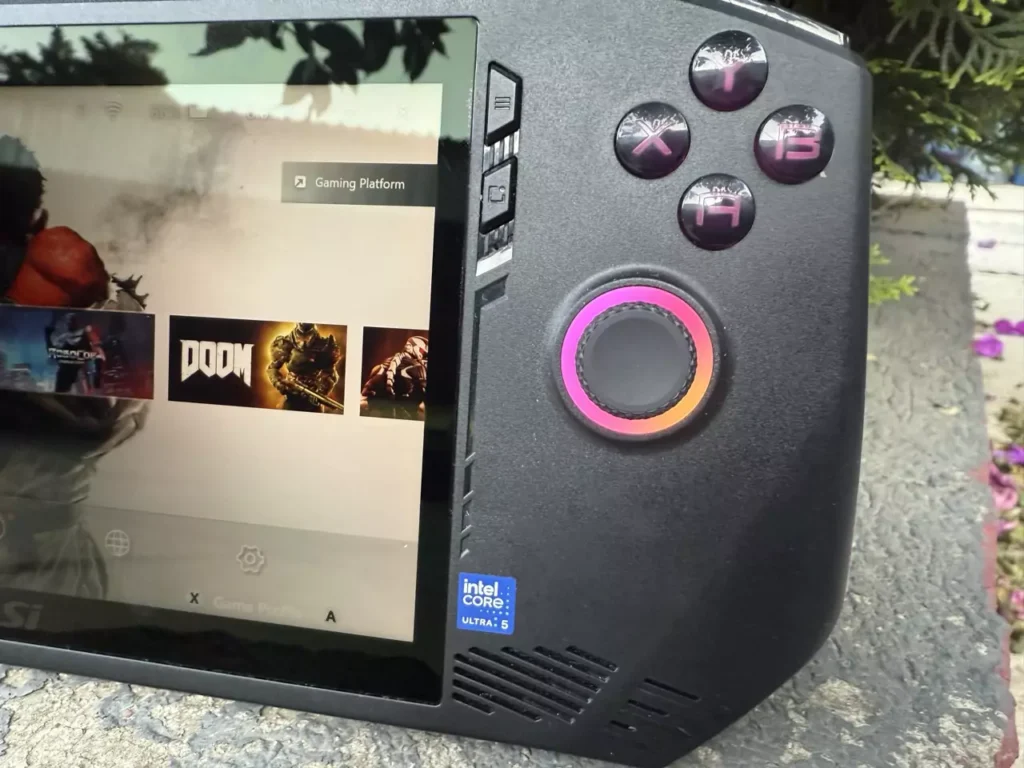
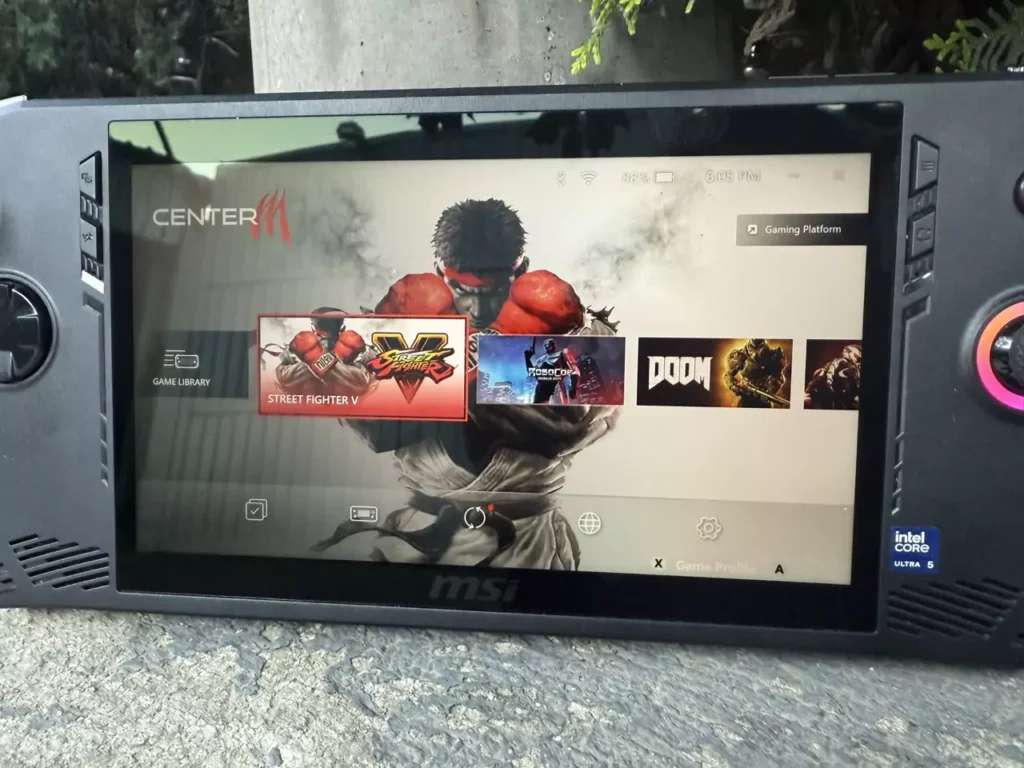
On the left side of the console, you’ll find the Xbox button and one dedicated to the MSI Center Launcher, an app that makes it easy to customize performance, connectivity, and even the RGB lighting. From there you can also manage platforms like Steam, UPlay, and Xbox, which makes everything more accessible. The D-Pad, on the other hand, left me with mixed feelings: it works fine, but it feels a bit stiff with limited travel, and I think it could have been better.
As for the extra controls, the Quick Menu on the right side is really handy. It works at any time — in the browser, in a game, or on the Windows desktop — and gives you quick access to options like brightness, audio, Wi-Fi or Bluetooth, and even the taskbar.
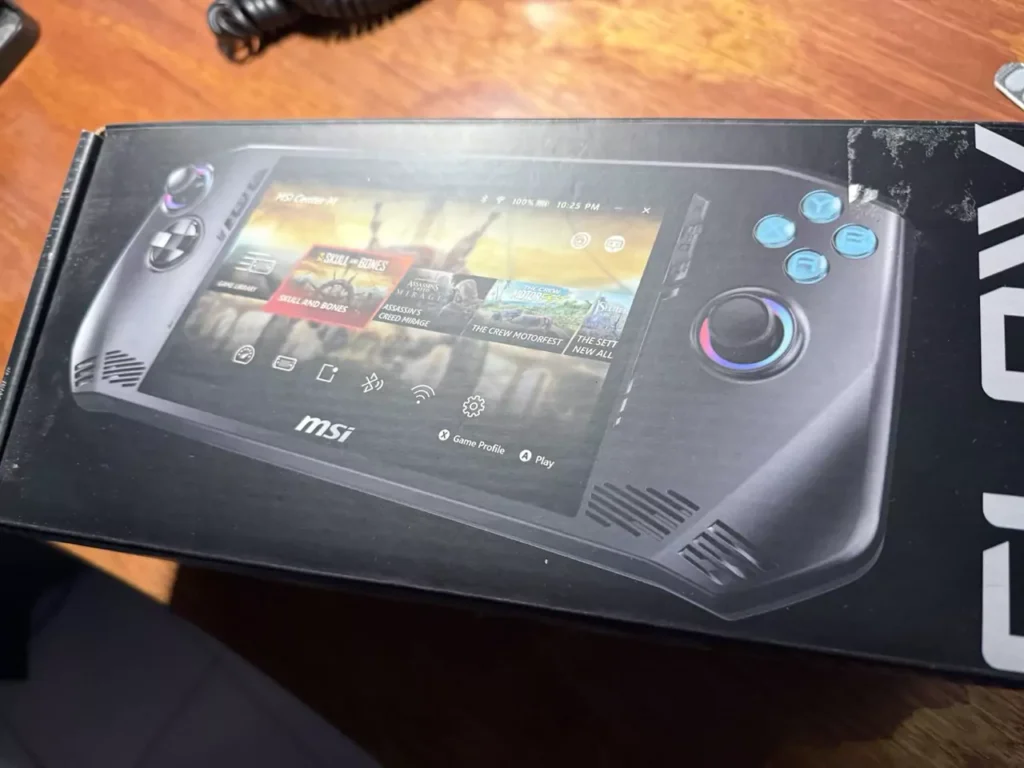
On the back, there are two programmable buttons that can enhance your gaming experience. I find it really useful to be able to customize them to my liking, assigning different functions depending on the game. Through MSI Center M, these can be easily configured to map actions like LT, the A button, M1, and more.
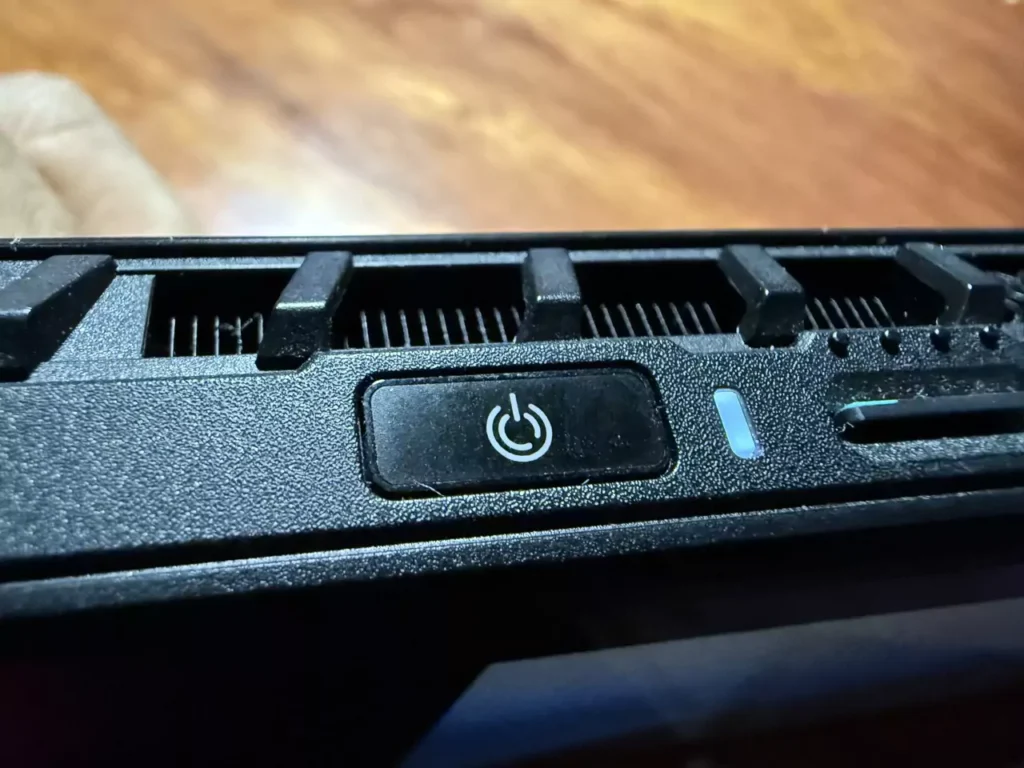
Another detail I liked was the fingerprint sensor built into the power button. Unlocking the console with a tap thanks to Windows Hello is simple and secure — a lot better than typing a password or PIN to get into Windows. Finally, in the upper right corner are the volume buttons, easy to reach.
Connectivity: USB-C, MicroSD and Audio Jack
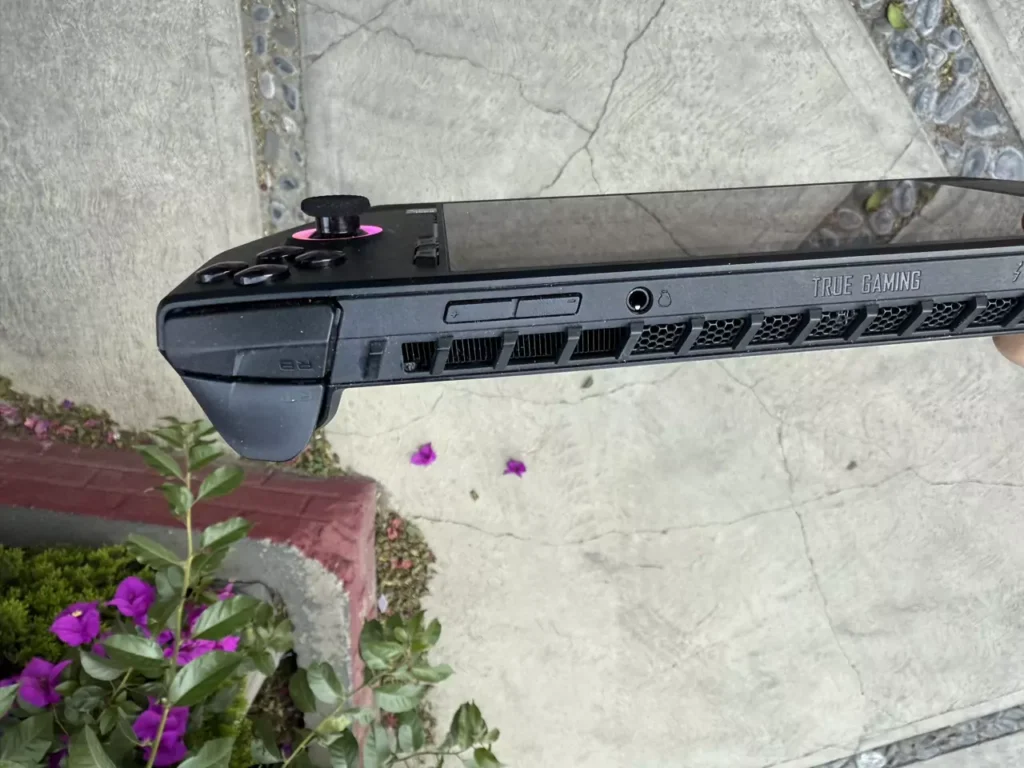
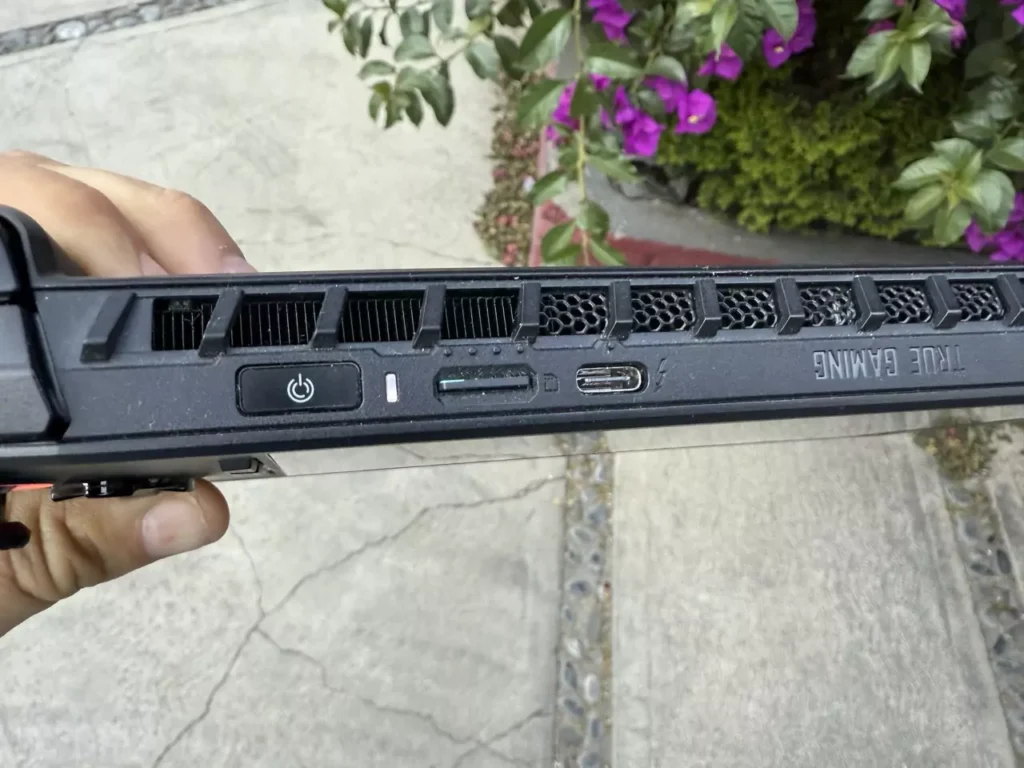
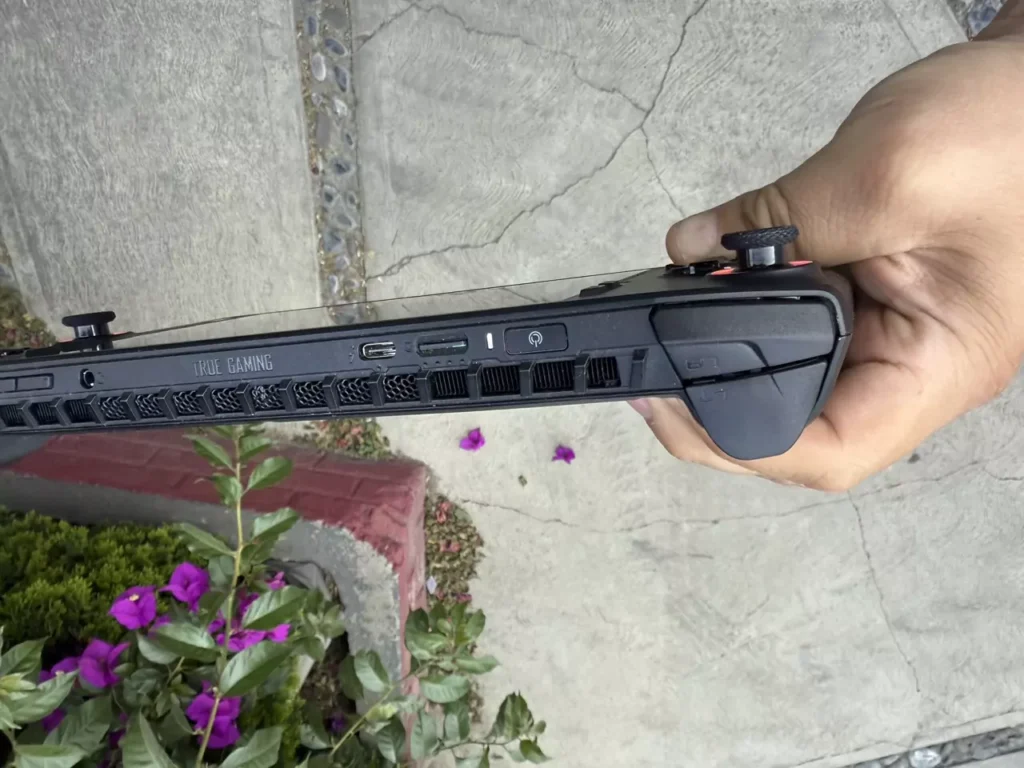
On top, there’s also a USB-C port that supports up to 100W, allowing the console to charge at maximum speed. This port is quite useful because you can connect other devices to it, like an external hard drive to transfer files, a mouse for better precision in certain games, or even a dock to expand your connectivity options.
The MSI Claw also has an expansion slot for a MicroSD card, supporting up to 1 TB. This is a great advantage if you need more room for your games. In my case, I bought a 512 GB MicroSD card, which was enough for me since I don’t usually play many games at once. If you have a large library, I’d recommend going with a higher-capacity MicroSD to avoid running out of space.
Finally, the console includes an audio jack, letting you connect headphones for a better sound experience. This is ideal if you prefer to immerse yourself in your game without relying on external speakers.
My Experience Turning On the Console for the First Time
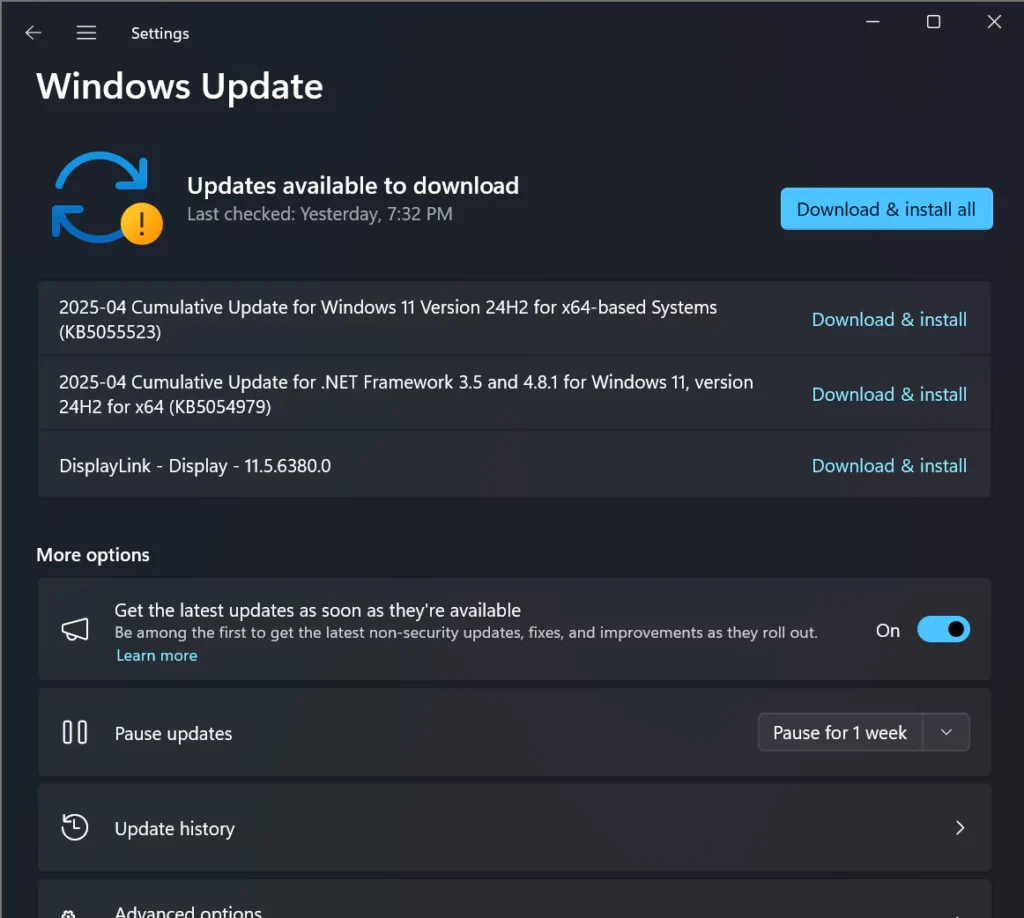
When I turned on the MSI Claw for the first time, I ran into several updates during the initial setup because of Windows 11 updates. That process took me about an hour, maybe a bit more, plus a few more that downloaded afterward. Once I was inside Windows, I also had to update the MSI Center M software, which I expected.
To avoid the problem I ran into, I’d recommend going straight to Intel’s website and downloading the latest drivers. That will help make sure everything runs properly from the start.
I made the mistake of thinking my console was defective because I experienced what looked like the infamous drift on the right joystick. After updating the drivers, though, the problem disappeared and performance improved noticeably. So with this simple tip, you can avoid running into the same thing.
Advantages of the Intel Core Ultra 5: Power and AI Optimization
One of the most interesting things about the MSI Claw is its Intel Arc graphics, which let it take advantage of Intel XeSS. This AI-driven upscaling technology improves both performance and visual quality in games without demanding too much from the hardware.
Thanks to this, the console can run AAA titles like Forza Horizon, F1 23, and Halo Infinite with surprising smoothness. In my experience, these games run stably and acceptably, striking a good balance between detailed graphics and solid performance. All of this without compromising the gaming experience, which makes the MSI Claw an appealing option for anyone looking for power in a portable form factor.
Improved Performance: From Problems to an Optimized Experience
When the MSI Claw first launched, its performance wasn’t great, with several issues affecting gameplay. Over time, though, MSI rolled out a number of updates that completely changed the experience. Some of these improvements delivered performance gains of up to 150% in certain games, which is a massive difference.
One of the most important changes was the BIOS update to version E1T41MS.106, which significantly improved stability and performance. They also optimized the GPU, which made games like 7 Days to Die run twice as fast.
For example, Monster Hunter World, Cyberpunk 2077, and Grand Theft Auto V saw improvements of between 40% and 64%, making them much smoother and more playable. Even titles that didn’t get such big changes, like Fortnite or Diablo 4, showed gains of 13% to 16%, which is still a noticeable improvement.
But performance isn’t just about the hardware. MSI has also worked on optimizing its software, and MSI Center M has been key to improving the gaming experience. Thanks to these updates, the MSI Claw went from a console with performance issues to a solid, competitive option in the handheld gaming market.
Advanced Cooling with the Intraflow Design
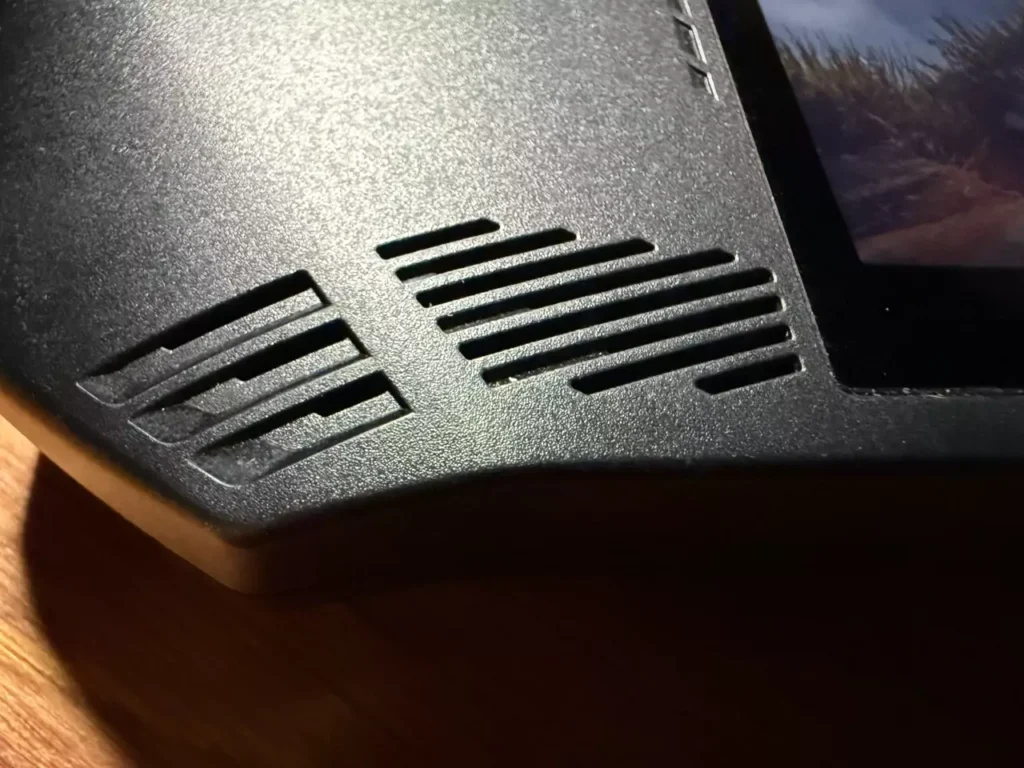
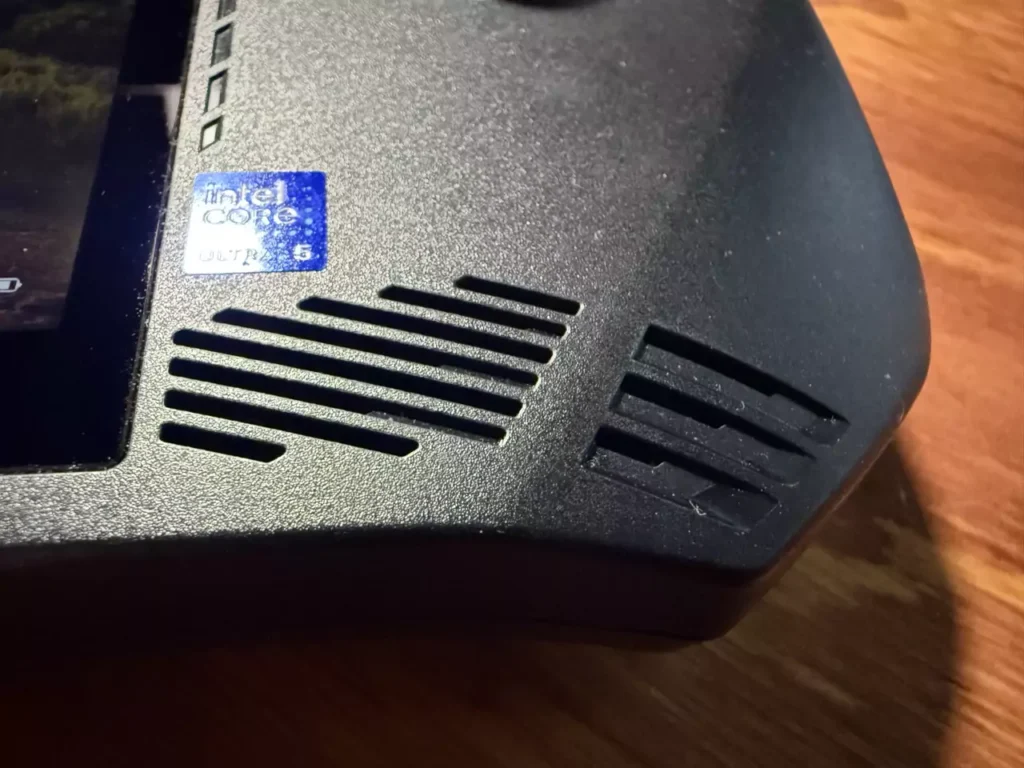
The MSI Claw A1M’s innovative Intraflow design strategically optimizes airflow, ensuring much more efficient cooling for the internal components. Thanks to this system, the console maintains its performance even during long gaming sessions, avoiding overheating. This not only improves the device’s stability, but also lets you enjoy more demanding games without worrying about temperature, which significantly improves the gaming experience.
MSI Claw Display: Smooth, Tear-Free Visual Experience
The MSI Claw’s 7″ FHD (1920 x 1080) touchscreen, with its 120Hz refresh rate, feels solid to me. When I lowered the in-game resolution to 720p, I didn’t notice a meaningful drop in image quality. If anything, it worked in my favor, since I got much better performance and, above all, more FPS. That’s because enabling AI mode in MSI Center M automatically optimizes visuals and performance.
The screen also makes it easy to pick out small details in games without any issues. The 120Hz refresh rate makes everything look smooth and fluid, which isn’t common on many handhelds. And with support for a variable refresh rate, I don’t have to worry about screen tearing and can enjoy a smooth, uninterrupted experience.
The only thing I’d count as a downside of the screen is that, with slightly thicker fingers, I’m not always as precise as I’d like when using the touch function.
Windows 11 on the MSI Claw: Comfort and Versatility
The MSI Claw A1M comes with Windows 11, which basically turns it into a portable mini PC. I can do a lot more than just play games: browsing the web, handling some work tasks, all of it. Having Windows also means access to a massive game library, something that other handhelds with more closed-off systems can’t offer.
With a USB-C docking station, I can turn the console into essentially a desktop computer. I’ve managed to connect my three monitors, get wired internet access, and use USB ports for a keyboard, mouse, and even an audio jack for my headphones. And thanks to power delivery, the dock is also able to charge the console.
When I want to play, MSI Center M makes everything a lot easier. As I mentioned earlier, this app brings all my installed games together in one place and gives me direct access to stores like Xbox Store, Steam, and Epic Games. I just had to connect my accounts once, and that was it — my entire game library at a click. It’s one of those features that genuinely makes the whole experience smoother and more practical, without wasting time hunting for games across different platforms.
Sound: An Immersive Experience
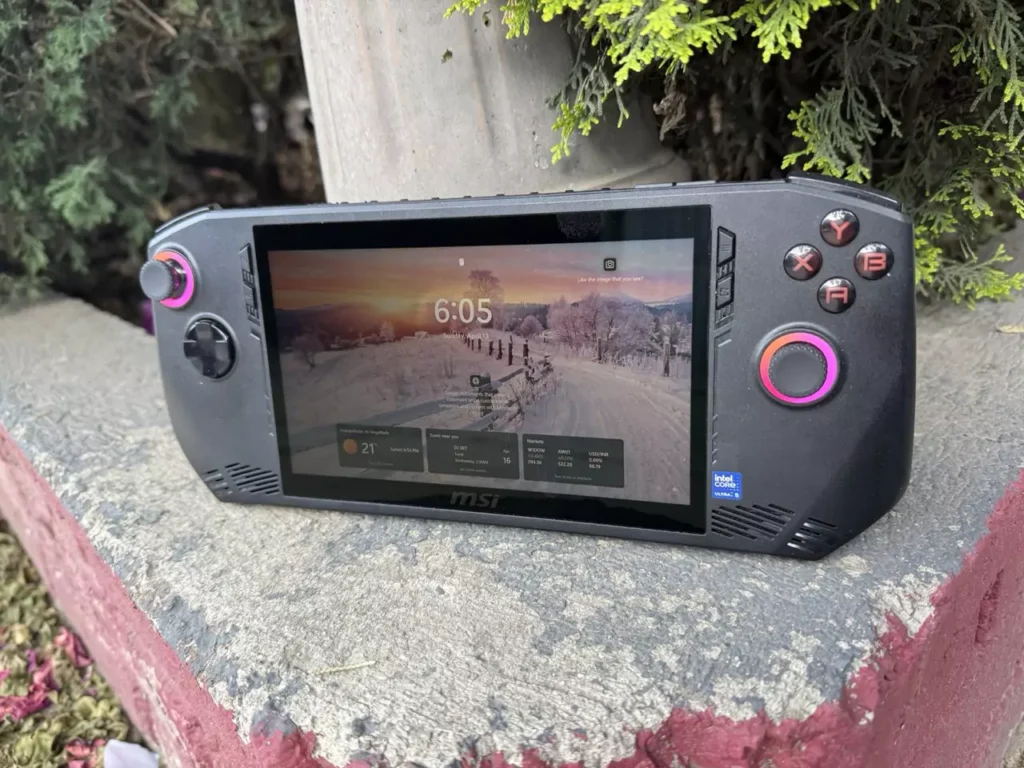
I’m no audio expert, but the sound on the MSI Claw A1M surprised me. It has two 2W speakers that deliver clear, well-balanced audio, which makes playing a lot more enjoyable, whether it’s sound effects or the game’s soundtrack. It also includes a combo headphone/microphone jack, ideal if you’d rather play with headphones and fully immerse yourself in the experience.
Battery Life: What Does It Really Offer?
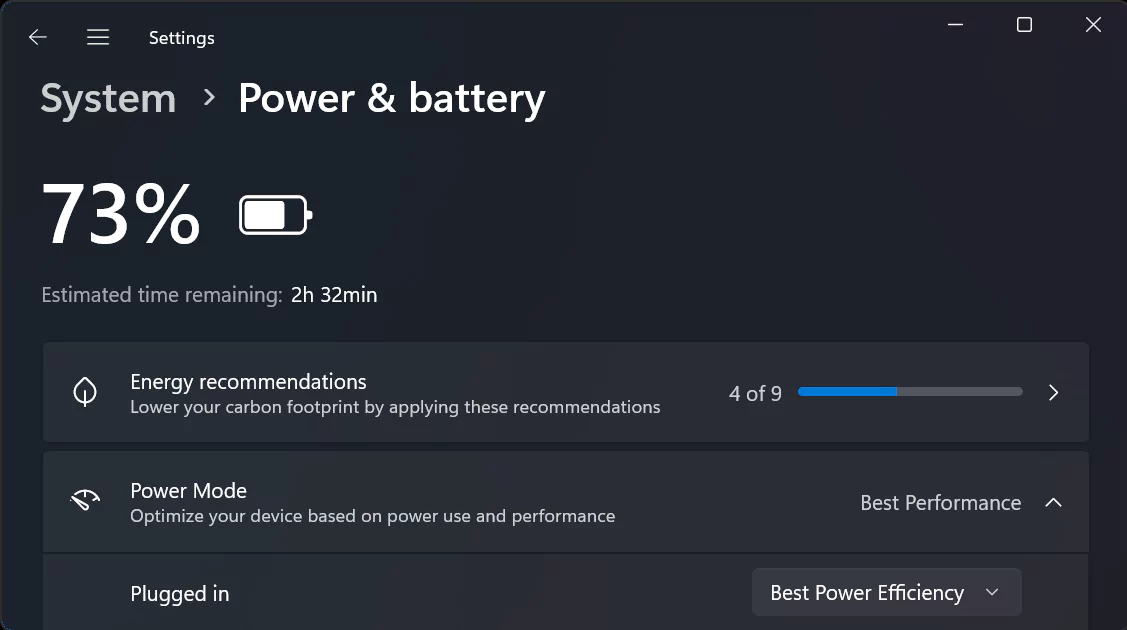
If you think the MSI Claw A1M’s battery isn’t a big deal, you might be surprised to learn it packs one of the largest batteries in handheld gaming: 53 Wh. In my experience, I got around two and a half hours of gameplay, though that depends on the title and the graphics settings you choose. For quick sessions or when I’m traveling, that’s been more than enough to enjoy without worrying.
I know that for some, that battery life might sound short, but keep in mind the MSI Claw is a high-performance gaming PC packed into a compact form factor. Getting nearly 3 hours of gaming out of a device with this much power is honestly pretty impressive. And the best part is that when the battery does run out, the 65W charger can get it back up to 70-80% in just over an hour, letting you get back to playing pretty quickly.
Problems: My Biggest Concern and Its Solution
After taking the MSI Claw A1M out of the box and running all the updates, I was ready to play. But shortly after downloading a few games, I ran into an annoying issue: the right joystick had drift. Yes, drift on a brand-new device! At the time I thought the console was defective, and honestly, I was pretty frustrated.
I went to the mall, where I’d previously spoken with an MSI technician. I told him about the problem, and to my surprise, his answer was simple: “Try updating the drivers from the MSI website.” I did it right away, and — boom! Problem solved. The drift disappeared completely.
It turns out that on MSI’s official website, updates are available before they show up on the console through MSI Center M. That’s something I didn’t know, and it would have saved me a lot of trouble if I’d found out sooner.
Maintenance and Care Tips
In my experience with the MSI Claw, I’ve learned that keeping everything updated is key to making it run properly. Make sure to update the BIOS and drivers to improve performance. To do that, just open the MSI Center M app, go to “Settings,” and select “Live Update.” From there, click “Check for updates” and you’ll be able to see the latest versions available. Also, don’t forget to update Windows for better overall performance.
After that, head to MSI’s website to download the latest updates. If you’re having issues with the GPU drivers, you can download them directly from Intel’s site. Once you’ve installed all the updates, restart the system so everything runs optimally.

Looking Ahead: Can the Console Be Upgraded?
It’s possible to upgrade the SSD on the MSI Claw A1M, but it’s not a simple process — to reach the expansion slot, you have to take the entire console apart. First you remove the back cover, then the battery, and finally the fans along with the metal cooling system. Honestly, it’s not a user-friendly process, and if you’re not careful, you could end up breaking an important component.
In my opinion, a much more practical option is buying a 1 TB MicroSD card. That gives you room for four or five large games, which is more than enough considering you probably won’t be playing that many at the same time. Plus, whenever you get tired of a game, you can always delete it to make room for new ones.
Is the MSI Claw A1M Worth Buying?
If you’re thinking about getting the new MSI Claw 8 because of its bigger screen, its two USB-C ports (which you can use with a Thunderbolt docking station), and its better performance compared to the MSI Claw A1M, the starting price is probably going to be a major factor. If that cost is too high for your budget, I’d recommend going with the MSI Claw A1M instead. The latest tech is always tempting, but the A1M is still an excellent choice if you want a powerful console at a more accessible price.
After several major updates, the MSI Claw A1M has improved considerably, showing off its full potential. These performance gains are broad and significant, transforming a device that was initially underrated. The updates haven’t just optimized the experience — they’ve been the turning point a lot of people were waiting for.
If you’re a passionate gamer who values performance and portability, the MSI Claw A1M is definitely worth considering. The improvements have turned this device into a much smoother, more enjoyable gaming experience, great for playing your favorite games wherever you are. It’s a solid choice for anyone looking for quality without spending a fortune on the latest tech.
Do you already own an MSI Claw A1M? What’s your experience been like? Share it in the comments.