



Buying a cheap gaming laptop in 2026 is harder than it was a couple of years ago. AI demand for memory has pushed RAM prices way up, and that shows in laptop prices. The good news is that you can still find laptops that run games well at 1080p without breaking the bank, as long as you know what to look for.
In this guide, we pick the best cheap gaming laptops you can buy in the US in 2026, for a budget of around $1,000. Prices change constantly (especially during sales), so we don’t list them: check the current price at each link.
Deal season: Amazon’s Black Friday Week runs November 19–30, with Black Friday on November 27 and Cyber Monday on November 30. It’s a good time to check laptop prices.
Why gaming laptops cost more in 2026
Memory makers are sending a large share of their production to AI data centers, and RAM and SSD prices have climbed as a result. Laptop maker XMG reports that DDR5 laptop memory costs about six times what it did in mid-2025, and it expects the shortage to last through 2027. Tom’s Hardware says the under-$1,000 gaming laptop market has been “effectively decimated,” and GamesRadar estimates that RTX 50-series laptops cost around 38% more than at last year’s Black Friday.


What does this mean for you? Two things: it pays to buy during a sale, and watch out for 8 GB RAM configurations, which are making a comeback to cut costs and fall short for gaming.
What to check before buying a cheap gaming laptop
The graphics card and its power (TGP)
In this price range, you’ll find three GPUs: RTX 3050, RTX 4050, and RTX 5050. The RTX 5050 is the newest: it has 8 GB of GDDR7 memory and supports DLSS 4 with Multi Frame Generation. The RTX 4050 has 6 GB and DLSS 3 with Frame Generation, while the RTX 3050 only gets DLSS upscaling, with no frame generation. In Notebookcheck’s testing, the RTX 5050 is about 12% to 15% faster than the RTX 4050.
But the GPU name isn’t everything: its power limit in watts (TGP) matters too, because every manufacturer sets it differently. In one Notebookcheck test, the same RTX 5050 went from 45 to 67 FPS in Cyberpunk 2077 just by raising its power from about 40 to 60 W. Always check that number on the spec sheet: more watts means more performance.
RAM: 16 GB in dual-channel
In 2026, 16 GB of RAM is the minimum for gaming. TechSpot’s testing shows that with 8 GB, many current games stutter and drop frames. Memory also needs to run in dual-channel (two modules): in LaptopMedia’s tests, performance rose 12% on average and more than 40% in some games. If your laptop comes with a single module, adding a second one is one of the cheapest upgrades you can make.
Display, storage and weight
Look for a 144 Hz or faster display; it’s standard on gaming laptops in this range. If you plan to plug in an external monitor later, check out our guide to the best 144Hz gaming monitors. For storage, 512 GB is common, but it fills up fast with today’s games, so a second M.2 slot for another SSD is a plus. And if you’ll carry it around often, check the weight: most of these models weigh between 4 and 5.5 lbs (1.8 to 2.5 kg).
The best cheap gaming laptops of 2026
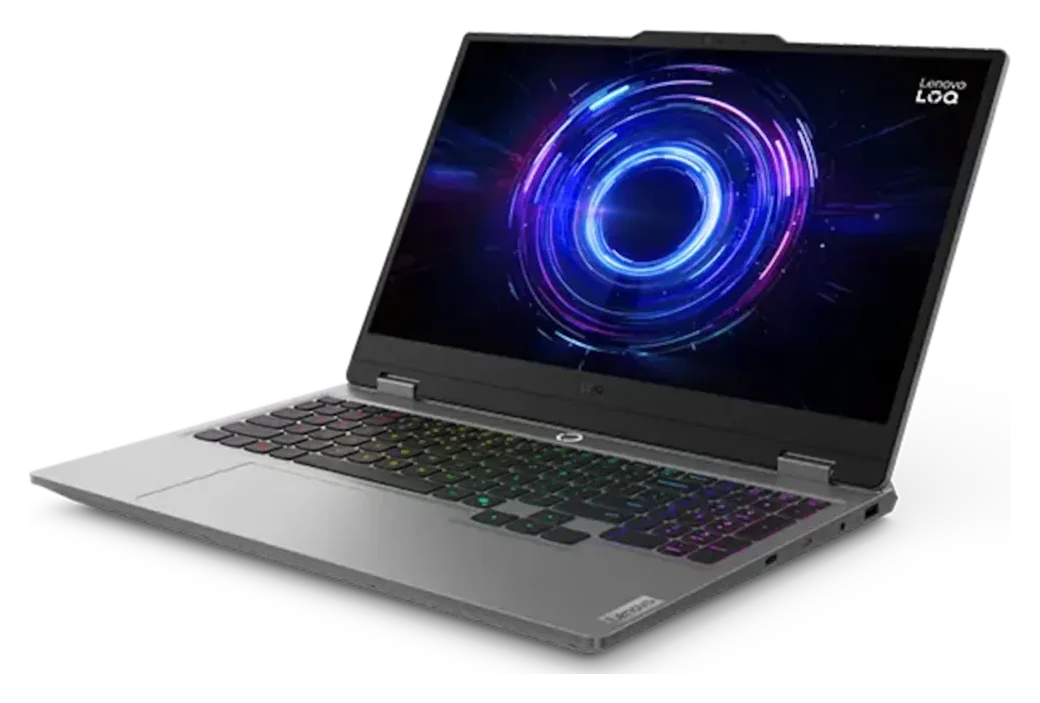
1. Lenovo LOQ 15 (RTX 5050): best overall
The Lenovo LOQ 15 (Intel Core i5-13450HX, 8 GB RTX 5050, 16 GB of DDR5 RAM and a 15.6-inch FHD 144 Hz display) offers the best balance of performance and price. Its RTX 5050 runs at 100 W, among the highest in this range, and its HX-series processor has plenty of power for games and heavy tasks. On Amazon US, it usually comes with a 1 TB SSD.
Key details:
- RTX 5050 at 100 W: one of the most powerful setups at this budget.
- Display with 100% sRGB, better than many laptops in its class.
- Two RAM slots, expandable to 32 GB.
As an Amazon Associate, I earn from qualifying purchases.
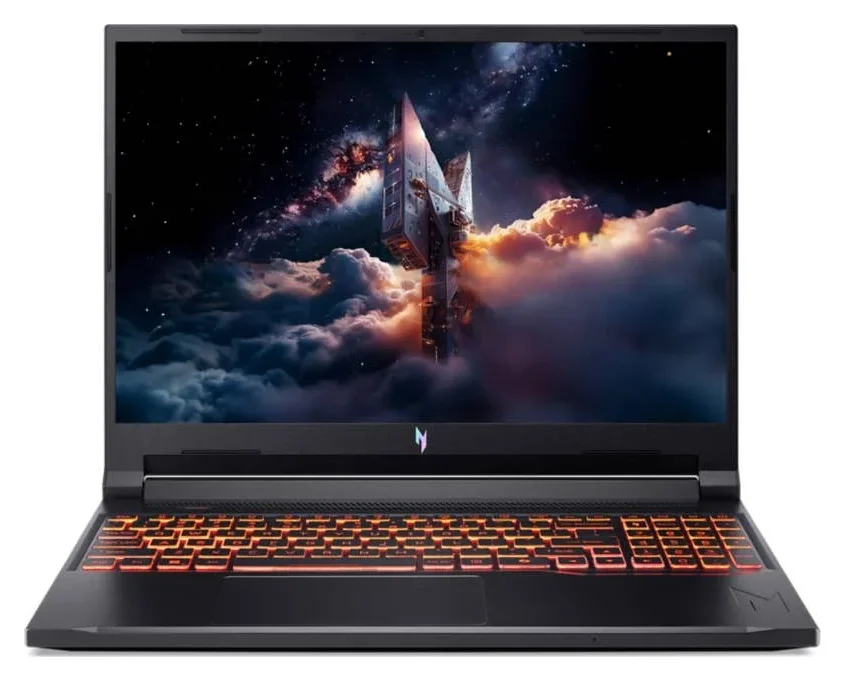
2. Acer Nitro V 16 AI (RTX 5050): best display
If you want a bigger screen, the Acer Nitro V 16 AI (AMD Ryzen 5 240, 8 GB RTX 5050, 16 GB of DDR5 RAM, 512 GB SSD and a 16-inch 1920×1200 180 Hz display) is the one to get. Its 16:10 format gives you more vertical space for gaming and work, and its RTX 5050 runs at up to 95 W.
Key details:
- 16-inch 180 Hz display, the fastest on this list.
- RAM comes in dual-channel (2×8 GB).
- 76 Wh battery; weighs about 5.3 lbs (2.4 kg).
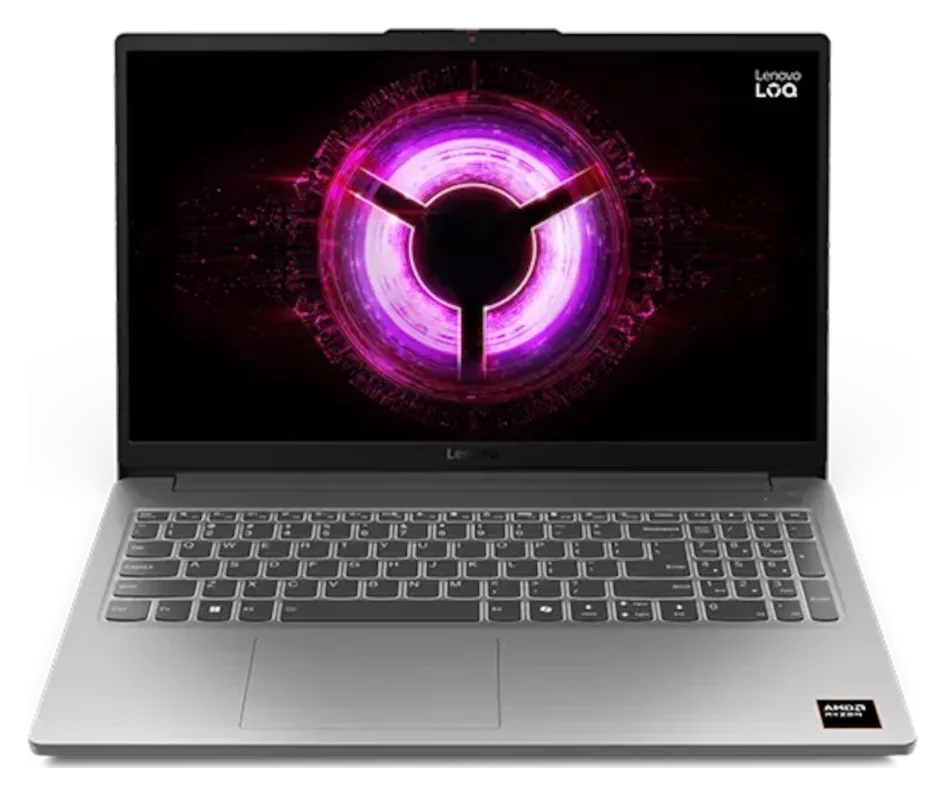
3. Lenovo LOQ Essential 15 (RTX 4050): the lightest
The Lenovo LOQ Essential 15 (AMD Ryzen 7 7735HS, 6 GB RTX 4050, 16 GB of DDR5 RAM, 512 GB SSD and a 15.6-inch FHD 144 Hz display) is a good pick if you’ll carry it often: according to Notebookcheck, it weighs around 4 lbs (1.8 kg). Its RTX 4050 runs at lower power than the RTX 5050s on this list, but it’s still enough for 1080p gaming at medium-to-high settings.
Key details:
- RAM comes as a single module: add a second one to enable dual-channel.
- Display with 100% sRGB.
- Two M.2 slots for adding another SSD.
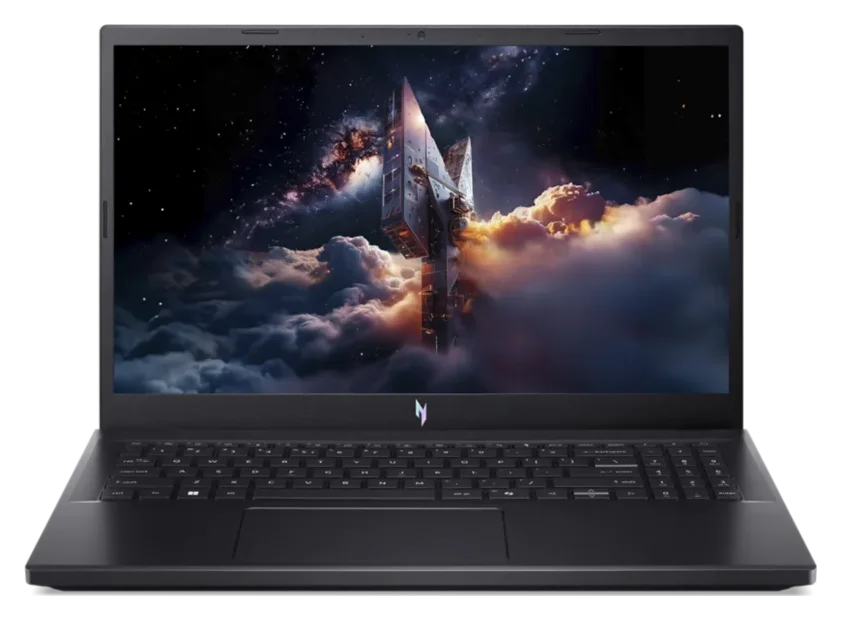
4. Acer Nitro V 15 (RTX 5050): the most affordable RTX 5050
The Acer Nitro V 15 (Intel Core i5-13420H, 8 GB RTX 5050, 16 GB of DDR4 RAM, 512 GB SSD and a 15.6-inch FHD 165 Hz display) is often the cheapest way to get an RTX 5050, especially on sale. In Notebookcheck’s testing, it hit 61 to 63 FPS in Cyberpunk 2077 at 1080p on Ultra settings.
Key details:
- Its RTX 5050 runs at 75 W, less than in the other laptops with this GPU.
- Uses DDR4 RAM, which is slower than DDR5.
- 165 Hz display, though with a more limited color range.
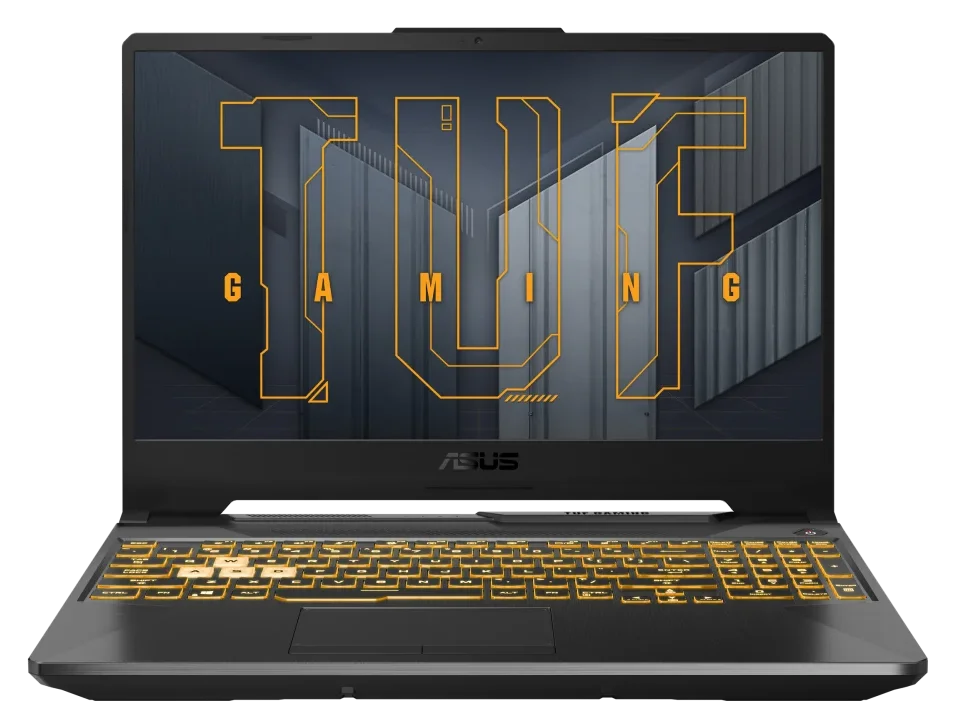
5. ASUS TUF Gaming A15 (RTX 3050): the cheapest one worth buying
If your budget is tighter, the ASUS TUF Gaming A15 (FA506NC: AMD Ryzen 5 7535HS, 4 GB RTX 3050, 16 GB DDR5 RAM, 512 GB SSD, and a 15.6-inch FHD 144 Hz display) is a solid option for competitive games like Valorant, Fortnite, or CS2. That said, its 4 GB of video memory falls short for the latest AAA games, where you’ll need to lower settings significantly.
Key details:
- Great for esports and lighter games at 1080p.
- 144 Hz display, but with limited colors (62.5% sRGB).
- Some versions ship with 8 GB of RAM: make sure the listing says 16 GB.
If you can stretch your budget
These two laptops go over this guide’s budget at regular price. But if you can spend a bit more, or catch a good deal, they offer more performance or a better display.
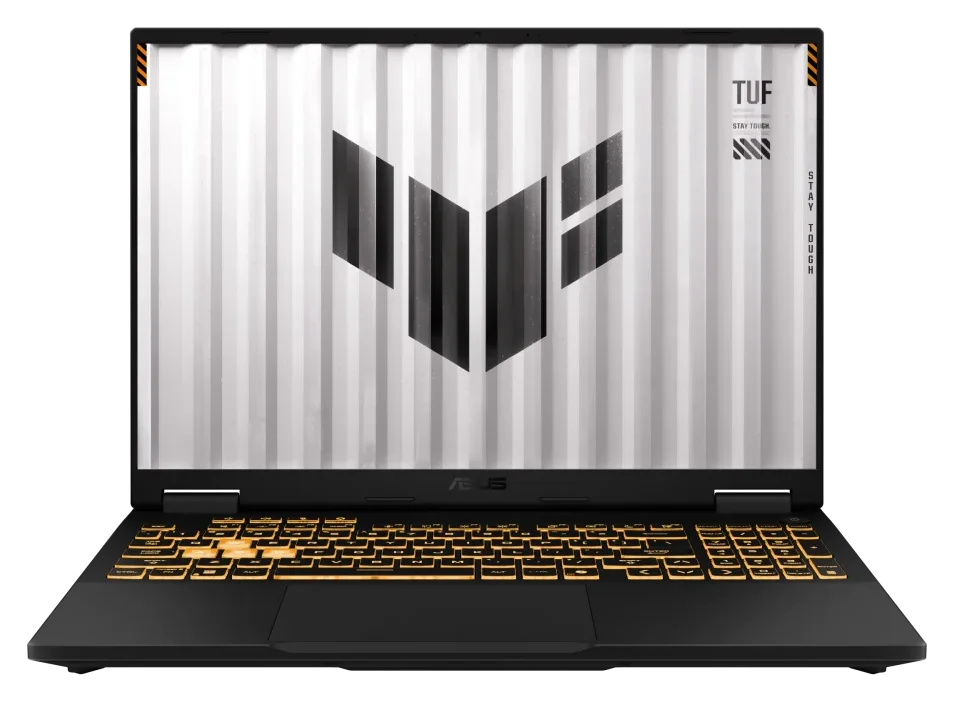
ASUS TUF Gaming F16 (RTX 5050): more power and a 16-inch display
The ASUS TUF Gaming F16 (Intel Core i5-13450HX, RTX 5050, 16 GB of RAM, 512 GB SSD and a 16-inch 1920×1200 165 Hz display) uses the same GPU as the Lenovo LOQ 15, but with more power: up to 115 W. Its screen is also bigger and taller, which makes it comfortable for gaming, work, or school.
Key details:
- RTX 5050 at up to 115 W, the most powerful version of that GPU in this guide.
- MUX switch with Advanced Optimus: gets more out of the GPU in games without rebooting.
- MIL-STD-810H military-grade chassis. Weighs about 4.85 lbs (2.2 kg).
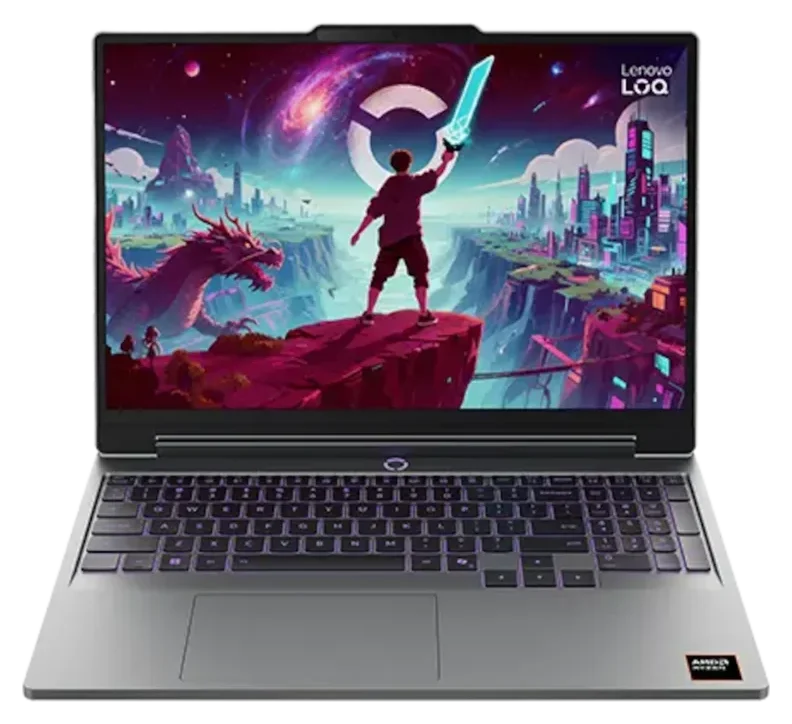
Lenovo LOQ with RTX 5060: the performance jump
If you want to play the latest AAA games at higher settings, the Lenovo LOQ (2026) with an AMD Ryzen 7 250, RTX 5060, 16 GB of RAM, 1 TB SSD, and a 15.3-inch WUXGA 165 Hz display is the best option on this list. The RTX 5060 is about 20% faster than the RTX 5050, though both have 8 GB of video memory.
Key details:
- The most powerful GPU in this guide.
- 1 TB SSD, useful since today’s games take up a lot of space.
- It’s also sold at other US retailers, so compare prices before you buy.
Quick comparison of the best cheap gaming laptops
| Model | GPU | Display | RAM | Best for |
|---|---|---|---|---|
| Lenovo LOQ 15 | RTX 5050 (100 W) | 15.6 in · 144 Hz | 16 GB DDR5 | Best performance for the money |
| Acer Nitro V 16 AI | RTX 5050 (up to 95 W) | 16 in · 180 Hz | 16 GB DDR5 (dual channel) | A big, fast screen |
| Lenovo LOQ Essential 15 | RTX 4050 | 15.6 in · 144 Hz | 16 GB DDR5 (1 module) | Taking it everywhere |
| Acer Nitro V 15 | RTX 5050 (up to 75 W) | 15.6 in · 165 Hz | 16 GB DDR4 | The most affordable RTX 5050 |
| ASUS TUF Gaming A15 | RTX 3050 (4 GB) | 15.6 in · 144 Hz | 16 GB DDR5 | Esports on a tight budget |
When to buy: the best sales
With prices this high in 2026, buying during a good sale can save you hundreds of dollars. These are the dates to keep on your radar:
- Black Friday and Cyber Monday: Amazon’s Black Friday Week runs November 19–30, 2026, with Black Friday on November 27 and Cyber Monday on November 30. Other retailers also start their deals early, so start comparing prices before Black Friday.
- Prime Day: Amazon’s summer sale, usually in July, also tends to bring good discounts on laptops.
My advice: compare the price of the same configuration across several stores and make sure it’s exactly the model you want. Many laptops are sold in several versions under the same name, but with a different GPU, RAM, or display. And be wary of discounts that look too big: some stores inflate the “original” price to make the deal look better. Checking the price a few weeks ahead helps you tell whether it’s really a deal.
Frequently asked questions
What’s the best cheap gaming laptop of 2026?
For most people, the Lenovo LOQ 15 with an RTX 5050: its GPU runs at 100 W, and it offers the best performance for the money on a budget of around $1,000. If you want a bigger screen, go for the Acer Nitro V 16 AI, and if your budget is tighter, the ASUS TUF Gaming A15 with an RTX 3050 still holds up for competitive games.
Is an RTX 3050 laptop still worth it?
Yes, if you mostly play competitive titles or less demanding games. For the latest AAA games, the RTX 4050 or RTX 5050 is a better investment, because they have more video memory and support DLSS Frame Generation.
Is 8 GB of RAM enough for gaming?
Not in 2026. With 8 GB, many games stutter and drop performance. If the laptop you like comes with 8 GB, make sure you can upgrade the RAM and factor in the extra cost.
Gaming laptop or desktop PC?
For the same money, a desktop usually performs better and is easier to upgrade. A laptop wins if you need to take it to school or work, or if you’re short on space at home. If you’re leaning toward building a PC, check out our Radeon RX 9050 review.
What about cloud gaming?
It’s an option for gaming without a powerful computer, but it depends heavily on your internet connection, and services like Xbox Cloud Gaming are adding monthly hour limits. We explain more in Is Cloud Gaming the Future? What Has Changed in 2026.
Conclusion
If you can wait for a sale, the Lenovo LOQ 15 with an RTX 5050 is the best cheap gaming laptop of 2026, and the Acer Nitro V 16 AI is the pick if you want a bigger screen. If you want something lighter, the Lenovo LOQ Essential 15 with an RTX 4050 is a great alternative, and if your budget is tight, the ASUS TUF Gaming A15 still holds up for competitive games. If you can spend a bit more, the ASUS TUF Gaming F16 gives you a more powerful RTX 5050 and a 16-inch display, while the Lenovo LOQ with an RTX 5060 is the best option for demanding games. Whatever you choose, make sure it has 16 GB of RAM and check its GPU power (TGP) before you buy.
Note: prices change constantly, so check the current price at each link. Some links are affiliate links; if you buy through them, ProductosGamer may earn a commission at no extra cost to you.